


Dropshipping with Wix Stores
Wix Stores: Understanding Dropshipping
Sell merchandise without paying for inventory, managing storage solutions, or dealing with order fulfillment, by connecting to a dropshipping service.
Dropshippers offer thousands of products from a variety of suppliers. After connecting to your favorite dropshipping app, you can choose which products you want to add to your store. When a customer purchases one of these products, the supplier fulfills the order directly to the customer.
Connecting to a dropshipping app
To get started, connect your Wix store with one of the dropshipping options Wix offers.
Next, select products that work with your business. For example, if you have a gym, you might want to sell gym equipment, gym bags, and active wear.

After setting the product markup to determine how much you receive for a sale and tweaking the description to suit your style, you can add the item to your Wix store.
When customers purchase this item, it ships directly from the supplier. You don't have to do a thing.
Learn how to connect to a dropshipping company and start selling.
Look for additional dropshipping services in the app market
Adding print on demand products
Take dropshipping to the next level by creating your own print on demand products. Start by choosing the first product you want to customize, for example, a cup, phone case, or clothing item.
Next, add your original design or business logo. For example, if you have a gym, you can use POD to sell t-shirts with your gym's logo.
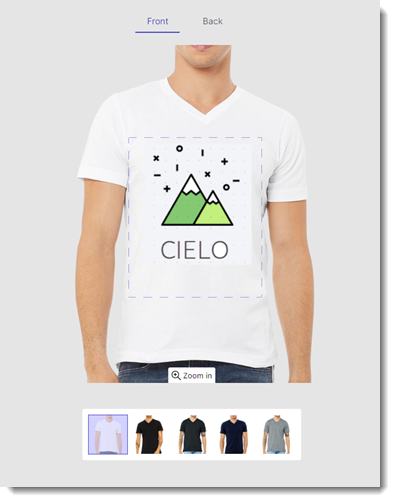
Since these items are print on demand, they're created on the spot by the supplier after an order comes in.
Wix stores offers integrations with a variety of print on demand services. Choose your favorite and start creating.
Look for additional print on demand services in the app market
Fulfilling orders with dropshipping products
Customers visiting your store aren't able to tell which items are dropshipping products and which are your own products. For you, however, there's a big difference.
After a customer buys a dropshipping product and the dropshipping service is paid (automatically or manually), the supplier handles all aspects of the fulfillment. Not only do you not have to worry about shipping, you don't have to warehouse the dropshipping products or manage inventory.
Get started with dropshipping
Whether you have an established store or you're starting to build your brand, dropshipping allows you to do more.