top of page

Setting up payment and checkout

Wix Stores: Customer Checkout with Apple Pay or Google Pay

After you setup Apple Pay or Google Pay, you can offer customers the convenience of paying with their phones.

Additional payment buttons in the Product page

You can display an Apple Pay or Google Pay button to relevant customers in the Product page, along with the 'Add to Cart' button. This comes in place of the 'Buy Now' button. If you connected PayPal as well, 3 payment buttons are displayed.
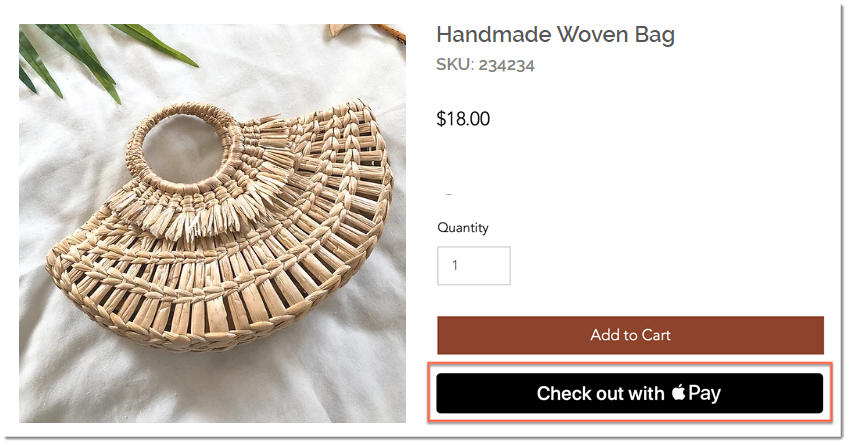
Screenshot of the Product Page in a Wix store with the Apple Pay checkout button outlined

To display additional payment buttons in the Product page:

  1. Select the Product page in the editor.

  2. Click Settings.

  3. Click the Settings tab.

  4. Under Buy Now, enable the Show button toggle.
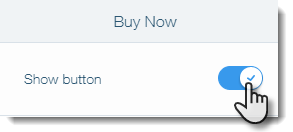
Screenshot of setting in the Product Page in Wix where you enable the Buy Now button

  1. Enable the Change automatically by payment method toggle.
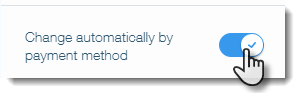
Screenshot of setting in the Product Page in Wix where you enable additional payment options

Additional payment buttons in the Cart & Checkout pages

In the cart page, the Apple Pay or Google Pay button will appear along with PayPal (if connected) and a checkout button (if the manual payments, Square, Stripe or other payment provider is connected).
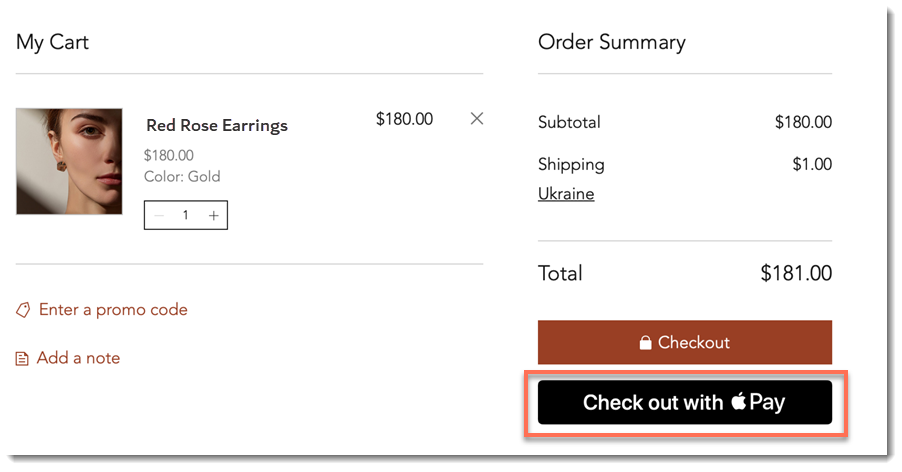
Screenshot of the Cart Page in a Wix site with the Apple Pay checkout button outlined

Additional payment buttons are also displayed at the top of the Checkout page. This means customers won't be required to enter their details on your site.
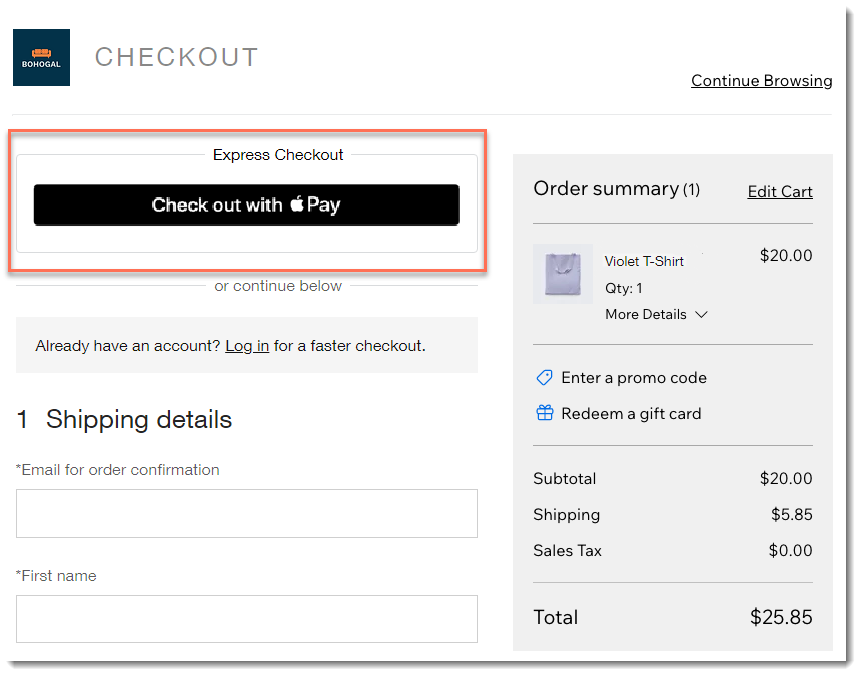
Screenshot of the checkout page in a Wix store with Apple Pay enabled

FAQs

Click a question below to learn more.

Which customers are exposed to the Apple Pay button?

The Apple Pay button is displayed to customers using Safari on iOS 11 or macOS Sierra or higher. Apple Pay is not currently available in the following mobile apps: Spaces by Wix, Fit by Wix, or your own mobile app.

Tip: Connect an additional payment method for customers who don't have Apple Pay.

Can I customize the button color?

The button color can be customized in the Product Page and Cart, but not in the Checkout Page.

How does authorization and capture affect the button display?

It's not currently possible to authorize and capture payments made through Apple Pay or Google Pay. Therefore, if you enable authorization and capture, your Apple Pay and Google Pay buttons are removed from your site.

Need A Professional Website?
Contact Us 
Today!

Connecting Authorize.net Powered by Bankful as a Payment Provider

Connecting Klarna as a Payment Provider

Connecting SeerBit as a Payment Provider

Connecting Webpay Plus-Transbank as a Payment Provider

Connecting Atome as a Payment Provider

Connecting Affirm as a Payment Provider

Connecting Pay TR as a Payment Provider

Connecting Sezzle as a Payment Provider

Connecting CXPay as a Payment Provider

Connecting Afterpay as a Payment Provider

Connecting Rapyd Payments as a Payment Provider

Connecting Clearpay as a Payment Provider

Connecting Yoco as a Payment Provider

Connecting Titre Restaurants Conecs as a Payment Method (Through Lyra)

Connecting Multibanco as a Payment Method (Through Lyra Collect)

Connecting Fondy as a Payment Provider

Connecting Xendit as a Payment Provider

Connecting Razorpay as a Payment Provider

Connecting Laybuy as a Payment Provider

Connecting Lyra Collect as a Payment Provider

Connecting UAPay as a Payment Provider

Connecting Paysafecash as a Payment Method (through Skrill)

Connecting Rapid Transfer as a Payment Method (through Skrill)

Connecting Przelewy24 as a Payment Method (through Skrill)

Connecting Skrill Digital Wallet as a Payment Method

Connecting Skrill as a Payment Provider for Credit/Debit Card Transactions

Connecting Mobile Payment as a Payment Method (Through KOMOJU)

Connecting Pay-Easy as a Payment Method (Through KOMOJU)

Connecting WeChat Pay as a Payment Method (Through Oceanpayment)

Connecting AliPay as a Payment Method (Through Oceanpayment)

wix experts
Graphic2Traffic web design
©
bottom of page