


Setting up your store
Wix Stores: About Wix Stores
Wix Stores gives you all the tools you need to create a sleek, professional online store and grow your eCommerce business. Sell your own physical or digital products or expand your offerings by adding dropshipping items. You can display products in stunning galleries, accept secured checkout, and sell on multiple sales channels.
To get started, browse through our designer templates; many come with Wix Stores already installed. If not, you can easily add Wix Stores to any of them - they're fully customizable. Get started

Create your store products
Build your online store by adding products. Sell physical or digital products and add up to 15 images, GIFs, or videos so customers see what you offer. You can even create your own store gift cards.

Expand your product list with dropshipping
Dropshipping is a great way to build your product selection without having to create, manufacture, store, and ship those products yourself.
To get started, connect to a dropshipping or print-on-demand service and select the products you want to add to your store. When a customer buys a product, the dropshipper ships the product directly to the customer. Learn more
Dropshipping options include:
Customize your storefront
Set up your online store just the way you want using the countless design and customization options.
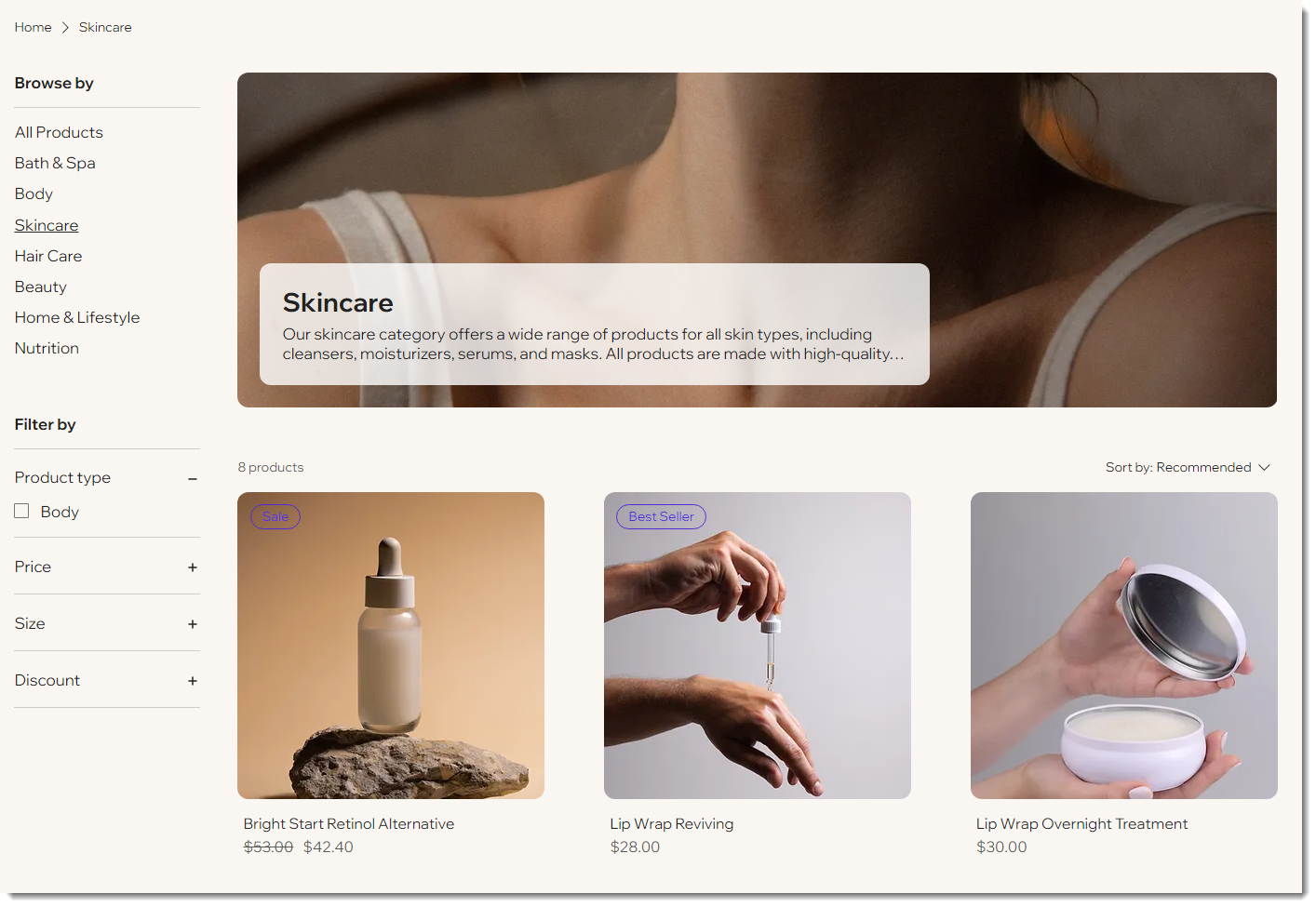
Here's just some of what you can do:
Product display customizations
Select the Category Page, or a gallery, and then customize it. You can add:
"Quick View"
Product option selection
Product filters
Sorting options
Pagination or infinite scroll
Product page customizations
Display as much or as few details as you like, or add any of the following:
Related products gallery
"Buy Now" button
Product info tables
Display a price per unit
Personal customer member pages
Encourage repeat purchases by letting customers save their personal information. You can offer customers any of the following:
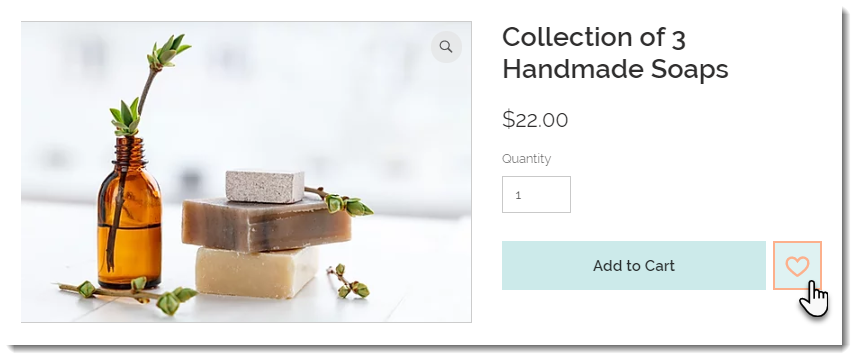
Wishlist
My Orders page
My Addresses page
My Wallet page
Tip:
Your store is fully optimized to look great on mobile.
Provide customer incentives
Keep your customers engaged by offering them incentives. Options include:
Wix Loyalty Program Learn more
Wix Gift Cards Learn more
Wix Reviews Learn more
Discounts and Coupons Learn more
Get ready to start selling
Set your store up behind the scenes so you can go live.
Secure online payment
Offer customers secure online checkout. Wix pre-selects the optimal payment providers (e.g. credit / debit cards, PayPal, Wix Payments, etc.) for your region. Choose the ones that work best for your store.
Shipping, local delivery, and pickup
Select which regions you ship to, then set shipping rates for each. Choose the best way to calculate shipping for each region:
Free Shipping Learn more
Flat Rate Learn more
Rate by Weight Learn more
Rate by Price Learn more
Rate by Product Learn more
Real time shipping (not available everywhere) Learn more
Local Delivery Learn more
Store pickup Learn more
Delivery to pickup points Learn more
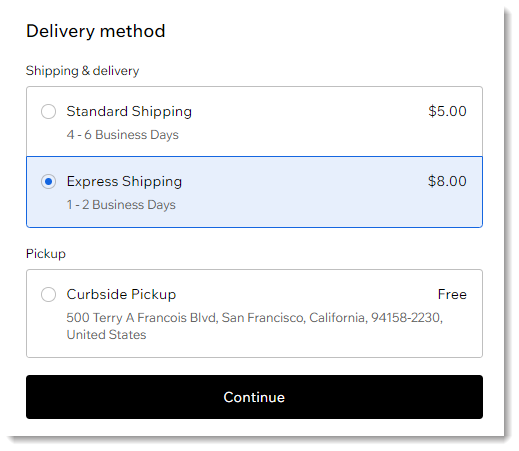
You can offer shoppers in a region one shipping option or a variety (e.g. Standard Shipping, Express Shipping).
Tax
Simplify tax collection by using Avalara automated tax. Avalara calculates tax based on up-to-date tax rules. When tax rates change in regions where you collect, they're updated automatically in your store. Learn more
Take and manage online orders
Manage your orders and track inventory. Add tracking numbers to orders you fulfill, print packing slips, and cancel and refund orders, if needed.
Sell in multiple sales channels
Expand your market: Start selling products on social media and other sales channels.
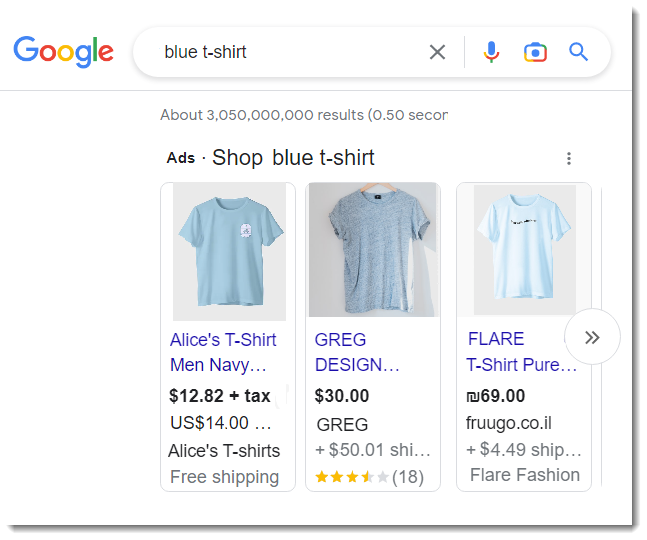
Sell on Google Learn more
Sell on eBay Learn more
Sell on Facebook Learn more
Sell on Amazon Learn more
Find out about new features
Wix stores is adding new, advanced features all the time. To keep up-to-date, we invite you to visit our store features article from time to time.
Find out more about Wix Stores:
Check out the full Wix Learn course on getting started with Wix eCommerce.
Build a dropshipping website.
Set up a point of sale at your brick and mortar store.