top of page

Setting up Retail POS hardware

Wix Retail POS: Troubleshooting Your Tablet

Important:

  • This article is about Wix Retail POS tablet for brick & mortar bussinesses.

  • For info on using POS on a mobile device, click here.

There are a number of error messages that may appear while using your POS tablet.

Check the table below to learn how to resolve the specific error you see.

To troubleshoot the POS tablet:

Error

Solution

Sync failures: Products, Sales,

Customers and Catalog

Solutions:

* Tap Refresh to try again.

* If the Refresh button is missing, pull the screen downwards to refresh.

If tablet is still not working:

1. Tap Settings.

2. Tap App and Tablet settings.

3. Clear catalog cache.

Internet issues

Solution:

To verify that your store's WiFi network is working tap Open Internet Settings in the POS pop-up and check that the tablet is connected to the internet.

Fetching Your Data...

Solution:

Wait a few minutes for the app to load your store's information.

POS App Crashed

Solutions:

* Tap Restart POS App button.

* Check for updates. Install if available.

* Restart the tablet manually.

Tip:

You can also access troubleshooting help and information in the tablet. Tap the Menu icon at the bottom left and then Settings. Scroll down to App & Tablet and select Troubleshooting.
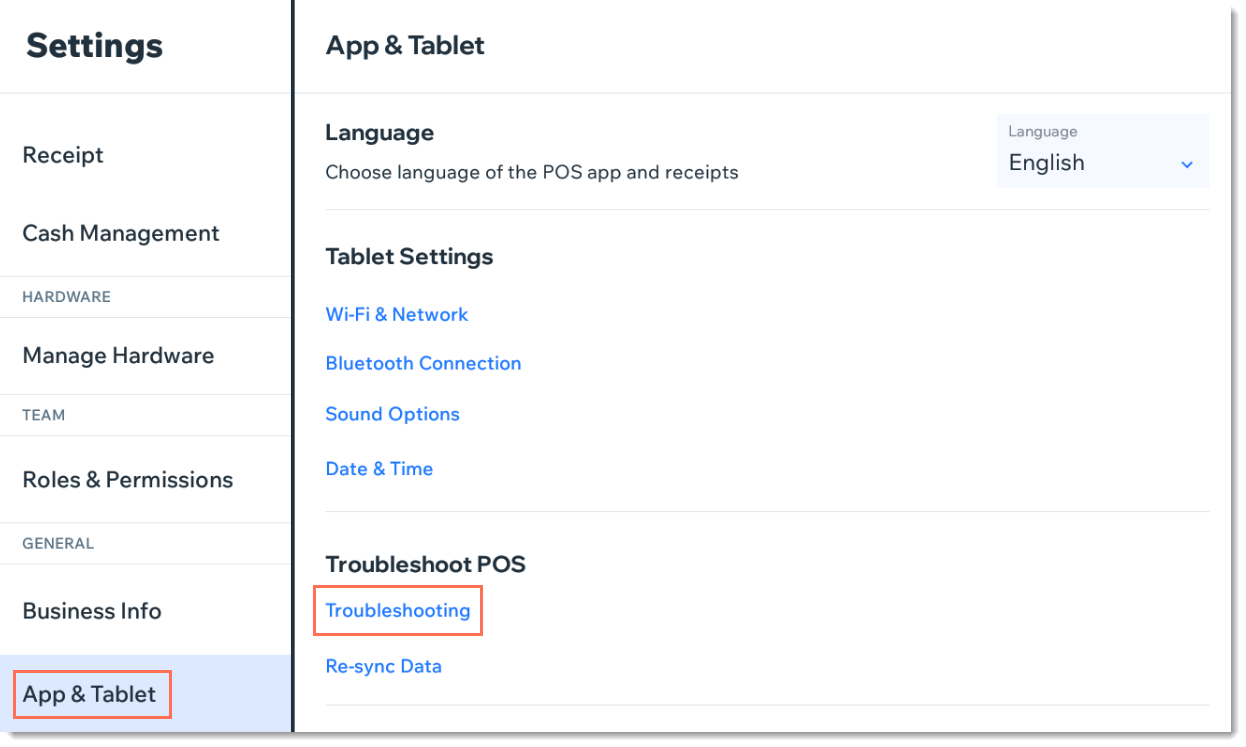
Screenshot of the App & Tablet tab in Wix Retail POS

Need A Professional Website?
Contact Us 
Today!

Third-Party Apps: Marketing Apps

Third Party App: Gifted by Gifted

Third-Party App: Melhor Envio by Melhor Envio

Third-Party App: Etsy Integration by Webkul

Third-Party App: Product Auction by Webkul

Third-Party App: POSTA by TORAB

Third-Party App: Uploadly - File Upload by Inspon

Redeeming Your Smile: Points & Rewards Promo Code

Third Party App: Smile Points & Rewards by Smile

Third-Party App: skuIQ Real-Time Inventory Sync by skuIQ

Third-Party App: Shippo by Shippo

Third-Party App: QuickBooks Connector By Intuit

Third-Party App: Printify by Printify

Third-Party App: Online Store by Ecwid Inc.

Third-Party App: NetSuite Sync by Webgility

Third-Party App: Modalyst - Dropshipping by Modalyst

Offering Gift Cards with the Gifted App

Third-Party App: Barcode Man Label Printing by Gookit

Third-Party Apps: E-commerce Apps

Claiming My Free Apps

Refunds for Third-Party App Upgrades

Canceling an App Subscription

Using an Existing App Subscription for an App on Your Site

Upgrading an App from the Wix App Market

Managing Your Wix Apps from the 'My Business' Panel

Creating a Third-Party App for the Wix App Market

Troubleshooting: Unable to Open App Settings Panel

App Disappearing from Page with Hidden Footer

Reasons an App Review Was Removed

Adding a Pending App in Your Editor

wix experts
Graphic2Traffic web design
©
bottom of page