top of page

Setting up Retail POS sales

Wix Retail POS: Organizing Your Favorites Screen

Important:

  • This article is about Wix Retail POS tablet for brick & mortar stores.

  • For info on using POS on a mobile device, click here.

Make sure your most popular products, discounts, and more are easily accessible by adding them to your Favorites. Your Favorites screen can include:

  • Products

  • Product categories

  • Discounts

  • Gift cards

When you're processing a sale, you can tap the Favorites tab and then add one of these items to the sale.
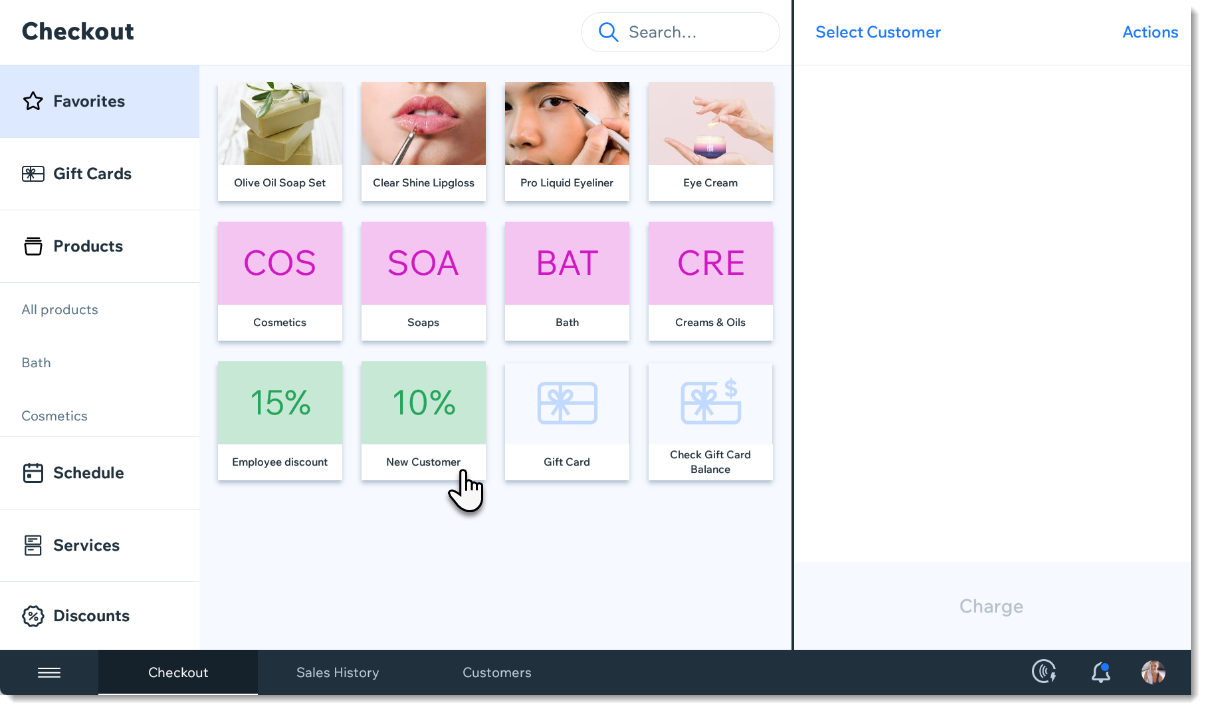
Screenshot of the Favorites tab in the checkout screen in the Wix Retail POS tablet

Adding items to your Favorites

  1. Open the POS tablet.

  2. Tap the Menu icon at the bottom left.

  3. Tap Settings.

  4. Tap Manage next to Favorites.

  5. Add an item to your Favorites.Tap the Add icon .
    Select Products, Categories, Discounts, or Gift Cards.
    Tap the item you want to add to your Favorites.

  6. (Optional) Drag items to reorder them.

  7. Tap Save.

FAQs

Click a question to learn more.

How can I remove an item from my Favorites?

To remove an item, go back to the Settings, tap Manage next to Favorites, then tap the X that appears in the top left corner of an item to delete it.

Screenshot of an item in the Favorites, in the Wix Retail POS system

Can I customize the color of the categories, discounts, and gift cards?

These colors cannot be customized.

Need A Professional Website?
Contact Us 
Today!

Connecting FIBONATIX as a Payment Provider

Connecting izipay as a Payment Provider

Connecting FasterPay as a Payment Provider

Connecting Kashier Payment Solutions as a Payment Provider

Disabling 2Checkout's Unfinished Payments Feature to Avoid Failed Transactions

Requiring a Customer Phone Number When Checking Out with PayPal

Disabling PayPal Encryption Messages

Connecting Smartphone Payment as a Payment Method (through KOMOJU)

Connecting Bankful as a Payment Provider for Cryptocurrency, Wallet and Credit Card Payments

Connecting Paymentwall as a Payment Provider

Connecting ACH by Choice as a Payment Provider

Connecting Vipps as a Payment Provider

Connecting Mollie as a Payment Provider

Connecting MONEI as a Payment Provider

Connecting payabl. as a Payment Provider

Connecting PayPlus as a Payment Provider

Connecting Tilopay as a Payment Provider

Connecting SumUp as a Payment Provider

Connecting YooKassa (YooMoney) as a Payment Provider

Connecting Square as a Payment Provider

Connecting Stripe as a Payment Provider

Connecting Online Bank Transfer by Klarna as a Payment Method (Through Stripe)

Connecting PayPal as a Payment Provider

Connecting Pay-Easy or Convenience Stores as a Payment Method (Through GMO)

Connecting PagueloFacil as a Payment Provider

Connecting PagSeguro as a Payment Provider

Connecting Mercado Pago as a Payment Provider

Connecting Max as a Payment Provider

Connecting bit (Provided by Isracard powered by PayMe) as a Payment Method

Connecting Evergreen Payments Northwest as a Payment Provider

wix experts
Graphic2Traffic web design
©
bottom of page