top of page

Setting up Photo Albums

Wix Photo Albums: Updating Your Old Albums to the New Templates

The new Photo Albums templates allow for more design and customization options. If you have any albums built with the old templates (prior to December 2019) you can update to the newest version in order to edit and manage them.

When you update your old album, a duplicate version that uses the new templates is created automatically. You can then edit and customize the new version to use all the new template features.

Note:

Any albums created before December 2019 will still work as expected but they cannot be edited or updated.

In this article, learn more about:

Updating Photo Albums to the new templates

When you update your album, a new duplicate version is created automatically. You can then edit and publish this new version using the the new template features.

Please note, your old album will still be visible on your site. After updating, make sure to go to your Editor to hide the old version and show the new version.

To update your Photo Albums:

  1. Go to Photo Albums in your site's dashboard.

  2. Click Manage Album next to the relevant album created before December 2019.

  3. A pop-up asks you to update this album before you can manage it. Click Let's Go to duplicate the album into the new template.
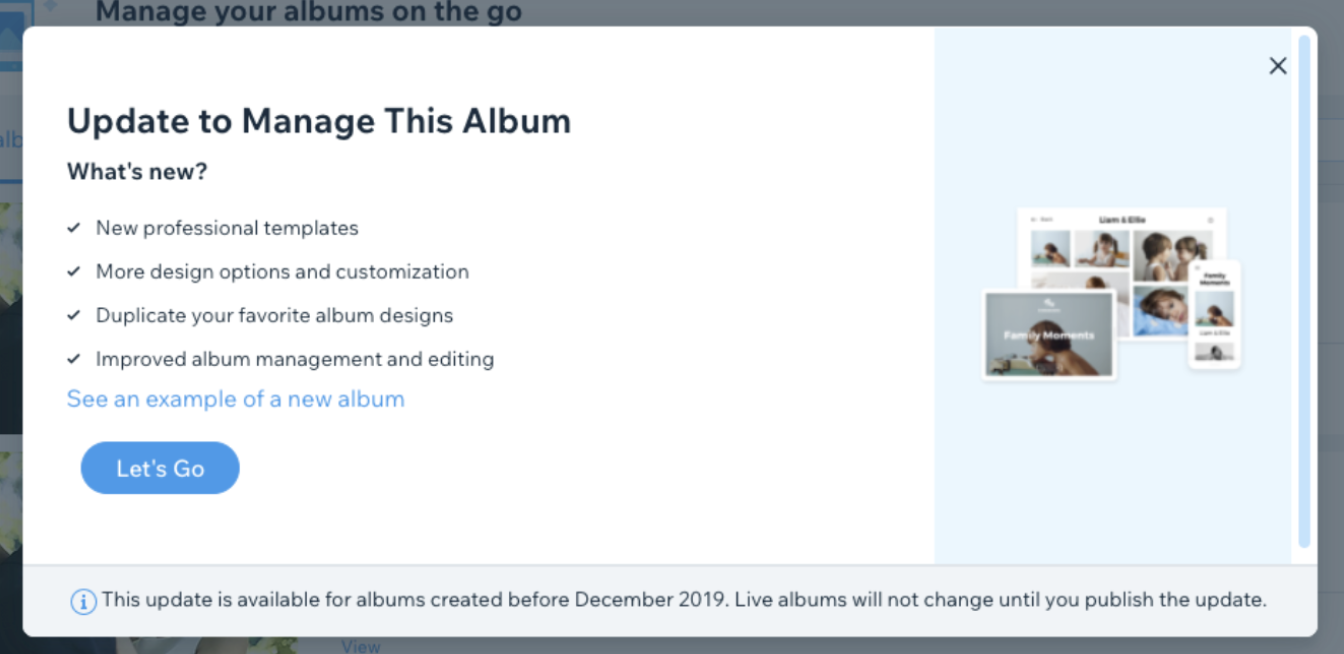
A screenshot of the Call-To-Action where you can update your old albums to the new version.

  1. Once your album is duplicated, customize it using the new template features.

  2. Click Update in the top right corner once you have finished customizing your album to save changes.

  3. Click Publish Now to make the album live on your site.

Note:

Make sure to go to your Editor to hide the old version and show the new one on your live site.

Frequently asked questions (FAQs)

Click a question about updating old albums below to see the answer.

Can I update my older albums that allow visitors to buy photos?

Currently, Photo Albums that allow visitors to buy photos (active or not active) cannot be updated to the newest version. You will need to create a new album.

Will updating my album allow visitors to favorite?

No. If you want to use the favorites feature, you need to create a new album from scratch. The duplicated album will not include this feature.

Will my old template style still be available?

Yes, however, we recommend you switch to the new templates for a smoother experience.

Need A Professional Website?
Contact Us 
Today!

Google Workspace Error Message: "Your subscription has been suspended by your reseller"

Google Workspace Error Message: Service Is Temporarily Suspended until Your Customer Accepts the New Terms of Service

Google Workspace Error Message: "You already have a Google Workspace business email account. You can manage it from the Google Admin Console"

Google Workspace: Data Migration from an External Email to Your Google Workspace

Google Workspace: Revoking Admin Status to Delete a Workspace Account

Google Workspace: Connecting Your Business Email to a Mail Client Using IMAP and SMTP

Google Workspace: Changing the Language of Your Business Email

Google Workspace: Emails Missing from Your Business Email

Google Workspace: Allowing Access for ‘Less Secure Apps’ in Your Business Email

Google Workspace: Adding Google Workspace MX Records to Your Wix Account

Google Workspace: Setting Up a Domain Alias

Google Workspace: Manually Verifying Your Domain with Google

Google Workspace: Connecting a Business Email for a Domain Pointing to Wix

Google Workspace: Setting Up an Email Alias for an Existing Workspace User Email Address

Google Workspace: Resetting a Workspace User's Password

Google Workspace: Renaming a Workspace User

Google Workspace: Accessing Your Additional Workspace Users

Google Workspace: Purchasing Additional Business Emails from Wix

Google Workspace: Setting Up Business Email Users

Gemini for Google Workspace: An Overview

Google Workspace: Upgrading a Workspace Plan

Google Workspace: Choosing a Plan

Google Workspace: Business Email Sending Limits

Google Workspace: Forwarding Emails From Your Business Email to Another Email Address

Google Workspace: Resetting Your Admin Password

Google Workspace: Accessing Your Admin Console

Google Workspace: Identifying Your Admin Workspace User

Google Workspace: Setting Up Your Business Email on Mobile Devices

Google Workspace: Username and Password Guidelines

Google Workspace: Accessing your Business Email Through Your Wix Account

wix experts
Graphic2Traffic web design
©
bottom of page