top of page

Getting started with Wix Music

Wix Music: Adding and Setting up Wix Music

Note:

Wix Music is not yet available in the Studio Editor. If this is something you'd like to see in the future, vote for that feature.

Wix Music lets you share and spread your music online, completely free of charge. Add the Wix Music player to your site and choose which track, playlist or album it displays. You can also control whether visitors can share or download your music.
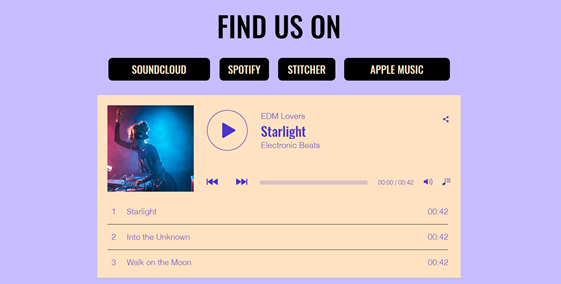
A screenshot of a Wix Music player on a live site.

Step 1 | Add Wix Music to your site

First, add the Wix Music player to your site in the Wix Editor. You can choose the design that best suits your site's style - compact or classic.

To add Wix Music:

  1. Go to your editor.

  2. Click Add Elements  on the left side of the editor.

  3. Click Video and Audio.

  4. Click Wix Music.

  5. Drag a Wix Music player onto your page.
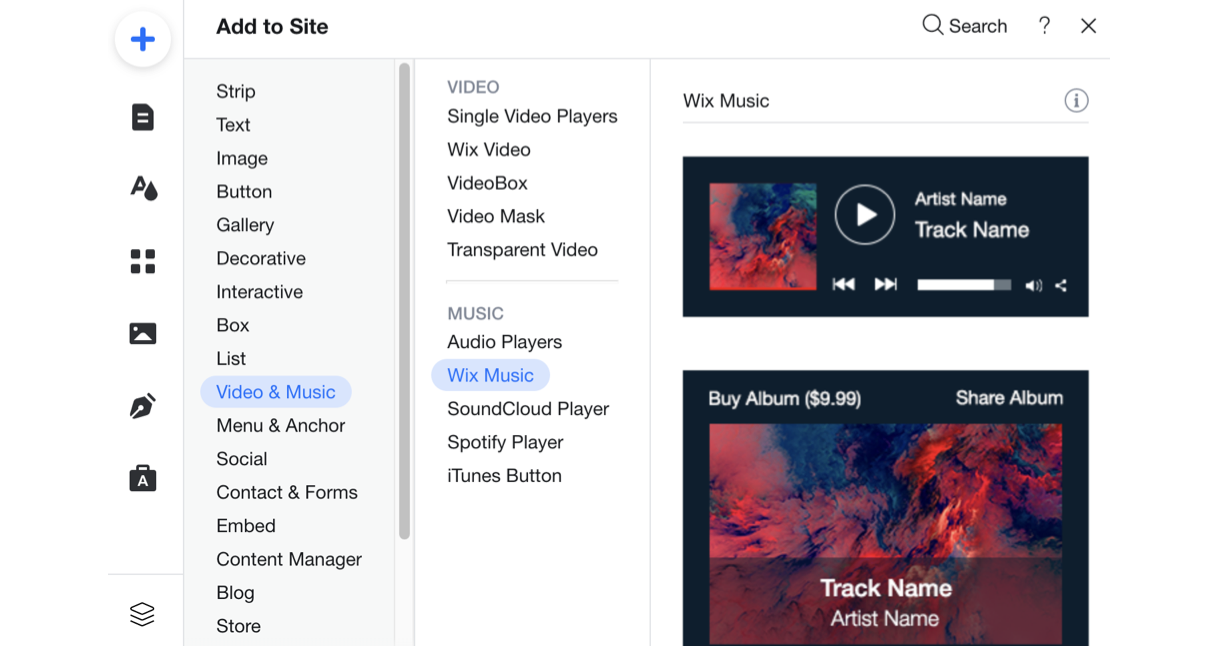
A screenshot of the player's available to add to your site in the Editor.

Step 2 | Choose music for your player

After adding the Wix Music player to your site, it's time to choose which music you want to display. You can choose from music you've already uploaded to your Music Library or add new music. Then choose whether to display an album, single, or playlist.

To choose music for your player:

  1. Click the Wix Music player in your editor.

  2. Click Settings.

  3. Click the My Music tab.

  4. Choose what music to add to the player:Existing music: Choose from music you've already uploaded to your Music Library.
    New music: Click + New Music to upload a single, album or playlist.
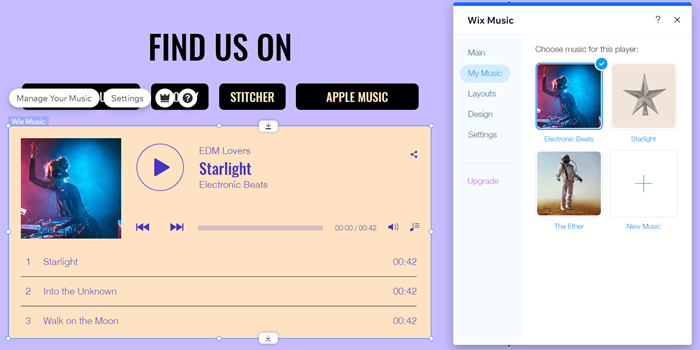
A screenshot of the My Music tab in the Editor.

Step 3 | Set up your player

Lastly, set up your player to work just how you want. Adjust your player's settings to allow your visitors to share your music and enable autoplay. Learn more about setting up your Wix Music player.
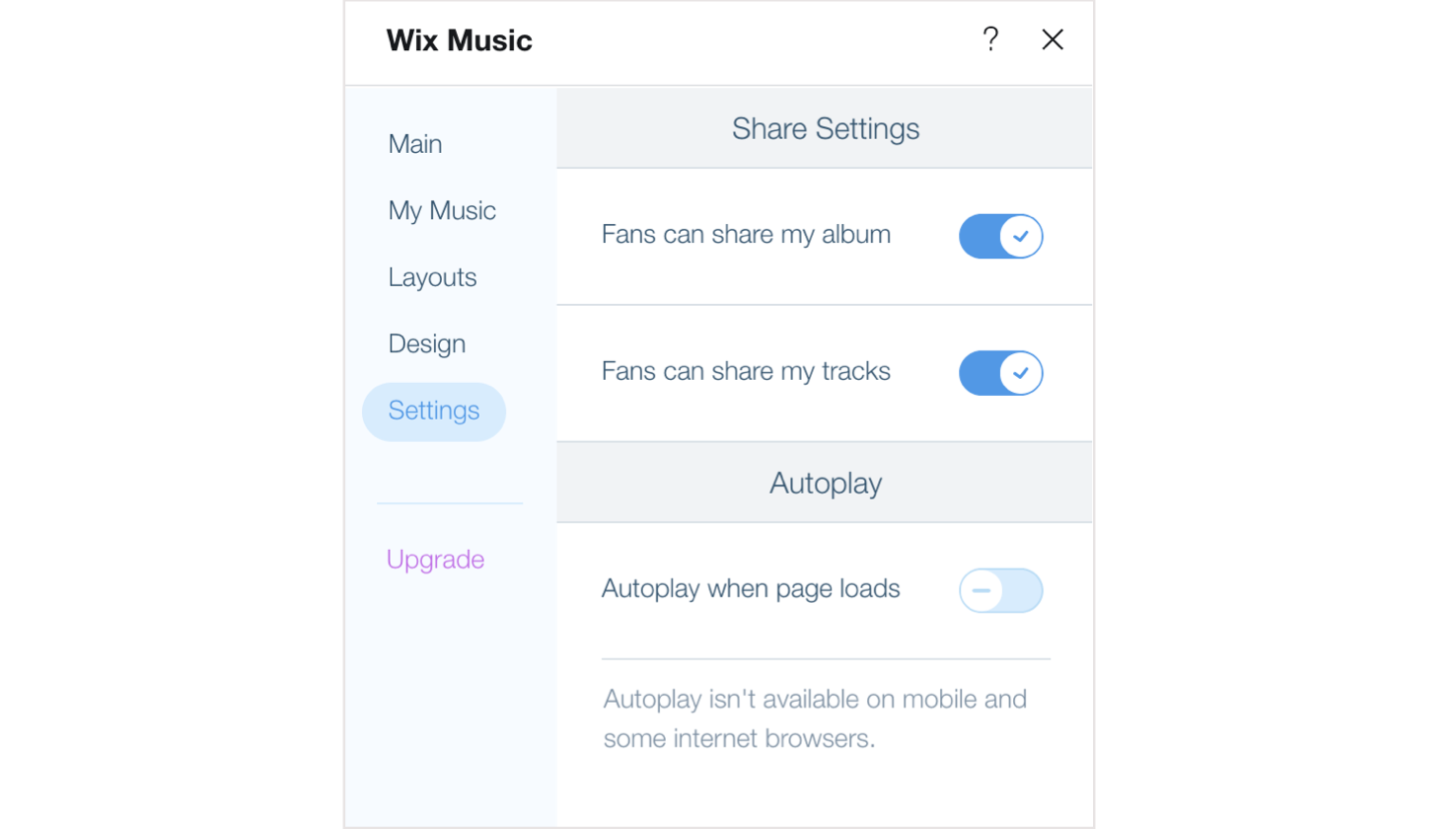
A screenshot of the Settings options available in the Wix Music player.

Need A Professional Website?
Contact Us 
Today!

Connecting Authorize.net Powered by Bankful as a Payment Provider

Connecting Klarna as a Payment Provider

Connecting SeerBit as a Payment Provider

Connecting Webpay Plus-Transbank as a Payment Provider

Connecting Atome as a Payment Provider

Connecting Affirm as a Payment Provider

Connecting Pay TR as a Payment Provider

Connecting Sezzle as a Payment Provider

Connecting CXPay as a Payment Provider

Connecting Afterpay as a Payment Provider

Connecting Rapyd Payments as a Payment Provider

Connecting Clearpay as a Payment Provider

Connecting Yoco as a Payment Provider

Connecting Titre Restaurants Conecs as a Payment Method (Through Lyra)

Connecting Multibanco as a Payment Method (Through Lyra Collect)

Connecting Fondy as a Payment Provider

Connecting Xendit as a Payment Provider

Connecting Razorpay as a Payment Provider

Connecting Laybuy as a Payment Provider

Connecting Lyra Collect as a Payment Provider

Connecting UAPay as a Payment Provider

Connecting Paysafecash as a Payment Method (through Skrill)

Connecting Rapid Transfer as a Payment Method (through Skrill)

Connecting Przelewy24 as a Payment Method (through Skrill)

Connecting Skrill Digital Wallet as a Payment Method

Connecting Skrill as a Payment Provider for Credit/Debit Card Transactions

Connecting Mobile Payment as a Payment Method (Through KOMOJU)

Connecting Pay-Easy as a Payment Method (Through KOMOJU)

Connecting WeChat Pay as a Payment Method (Through Oceanpayment)

Connecting AliPay as a Payment Method (Through Oceanpayment)

wix experts
Graphic2Traffic web design
©
bottom of page