top of page

Using the Wix app for Wix Events

Wix Events: Checking-In Guests Using the Wix App

Use the Wix app to check guests in as they arrive at your event. For ticketed events, you can use the app to scan the QR code found on event tickets.
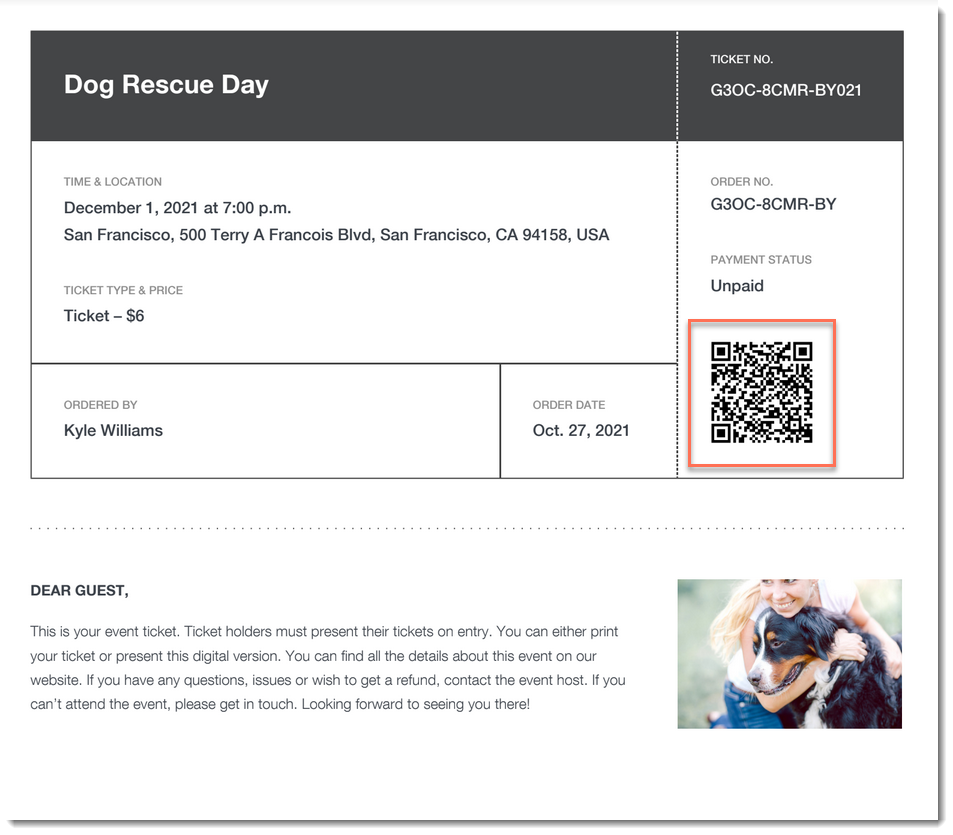
A screenshot of an event ticket PDF highlighting a QR code.

Important:

Go to your guest list in the Wix app shortly before you leave for the event, while you’re connected to the Internet. This ensures that you’ll be able to access the list and check guests in - even if you're offline during the event itself.

To check a guest in to an event:

  1. Go to your site in the Wix app.

  2. Tap Manage  at the bottom.

  3. Tap Events.

  4. Tap Published Events.

  5. Tap the event you want to view.

  6. Choose what you want to do:

Change a guest's status to "Checked In"

  1. Tap Guest List.

  2. (Optional) Filter your guest list:Tap the Filter  icon.

    Do any of the following:Select a status (e.g. Not checked in)
    Select one a payment status (ticketed events only).
    Select one or more a ticket types (ticketed events only).
    Select a sort option.
    Tap Save.

  3. Tap the checkmark next to a guest's name.
    A screenshot of a tapping a checkmark icon next to a guest's name in the Wix Owner app.

Scan a guest's ticket

  1. Tap Guest List.

  2. (Optional) Filter your guest list:Tap the Filter icon.

    Do any of the following:Select a status (e.g. Not checked in)
    Select one a payment status (ticketed events only).
    Select one or more a ticket types (ticketed events only).
    Select a sort option.
    Tap Save.

  3. Tap the QR icon at the top right.
    A screenshot of the QR icon in the Wix Owner app.

  4. Use your mobile device to scan the QR code that appears on the guest's ticket.
    A screenshot of an event ticket highlighting a QR code.

Tip:

You can also check in guests on desktop and on the Check-in by Wix app.

Need A Professional Website?
Contact Us 
Today!

Setting Up Tax Groups Using Automatic Tax Calculation

Setting Up Automatic Tax Calculation

About Automatic Tax Collection

Setting Up Tax Groups Using Manual Tax Calculation

Setting Up Tax Calculation Using the Manual Method

Tax Collection: An Overview

Connecting Flow as a Payment Provider

Connecting Tranzzo as a Payment Provider

Syncing SKU IQ with Square and Wix

Connecting iCredit as a Payment Provider

Connecting Cal powered by PayMe as a Payment Provider

Connecting Pagopar as a Payment Provider

Connecting POLi as a Payment Provider

Connecting PaidBy Bank as a Payment Provider

Connecting PostFinance as a Payment Provider

Connecting Nimbbl as a Payment Provider

Connecting airpay as a Payment Provider

Connecting Easebuzz as a Payment Provider

Connecting MakeCommerce as a Payment Provider

Connecting KG Inicis as a Payment Provider

Connecting seQura as a Payment Provider

About 3D Secure (3DS) Payments with Third-Party Payment Providers

Connecting Ziina as a Payment Provider

Connecting Faster Payment System as a payment method (through Oceanpayment)

Connecting easypay as a Payment Provider

Connecting Exactly as a Payment Provider

Connecting PayItMonthly as a Payment Provider

Troubleshooting Pending PayPal Payments

Connecting Tranzila as a Payment Provider for Card, Google Pay and bit Payments

Connecting Moneris as a Payment Provider

wix experts
Graphic2Traffic web design
©
bottom of page