


Managing your calendar & bookings
Wix Bookings: About Syncing Personal Calendars with Wix Bookings
Sync the booking calendar with your personal calendar to help you manage your business and your sessions. Syncing calendars is a great way to avoid double bookings, and check when you and your staff are unavailable to take sessions each week.
Before you begin:
Make sure you upgrade your site to sync your personal calendar with Wix Bookings.
Share the benefits of synced calendars with your staff
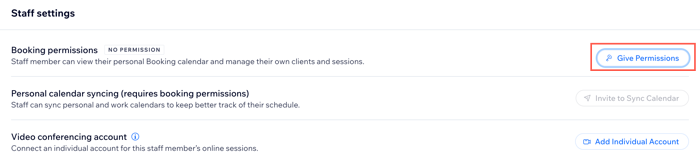
As the site owner, you can sync your own calendar and invite your staff to sync their personal calendars. This helps keep everyone's calendars as up to date as possible each week. Before you can invite a staff member to sync their personal calendar, make sure you give them the relevant booking permissions.
Prevent double bookings
Synced calendars connect to each other and share information, which makes it easier to plan upcoming weeks and months.
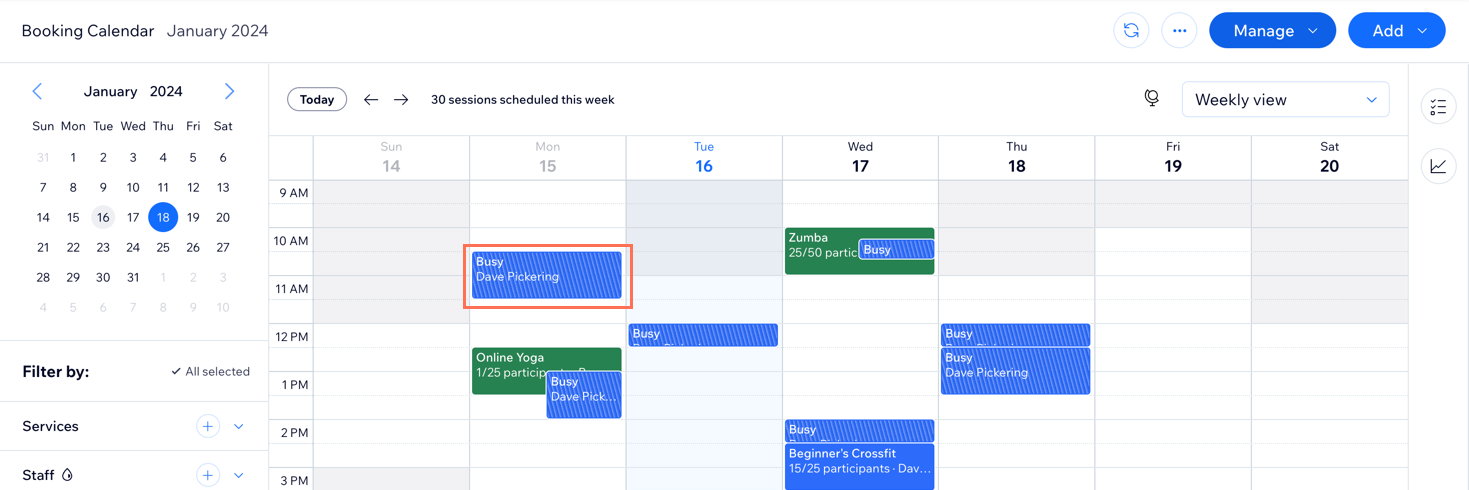
When you sync a personal calendar with the booking calendar, all meetings appear in both places, so you always know when you're busy or free. Meetings from your personal calendar show as "Busy" time in the booking calendar.
You can connect either a Google, Microsoft (Outlook or Office 365) or an Apple calendar to Wix Bookings.
Sync your Google Calendar with Wix Bookings
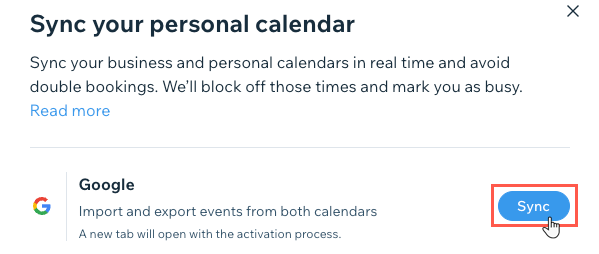
When you sync your Google calendar with Wix Bookings, your clients' sessions with you appear on your Google calendar. Your personal appointments also block off time in your booking calendar. This is a two-way sync.
The information you see in your personal calendar depends on the type of service that a client books:
Appointments: You can access all the information you need about your upcoming service: The service name, address, customer name and contact details, and which staff member is providing the service.
Classes and Courses The name of the class or course appears in your personal calendar (except for Apple calendar). Note that even if no one booked a session, classes and courses still appear in your personal calendar.
Sync your Apple Calendar with Wix Bookings
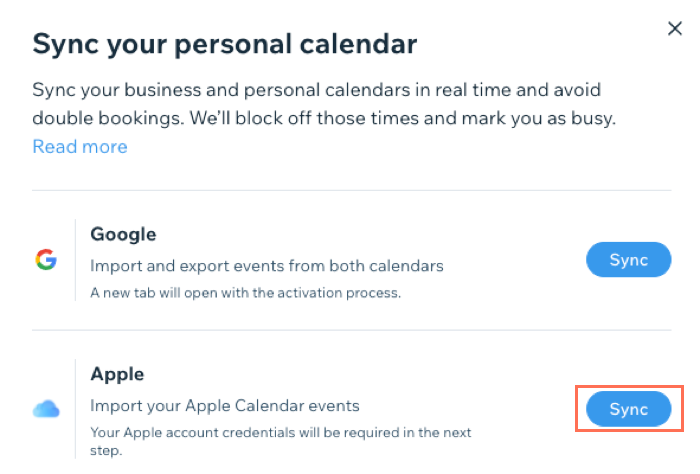
When you sync Wix Bookings with your Apple Calendar (iCal), you can view your personal appointments and business sessions in one place.
You can choose to import upcoming personal appointments from Apple Calendar to your Wix calendar. You can also import upcoming Bookings sessions from your Wix calendar to your Apple calendar.
Apple requires you to create a specific kind of password to sync your Wix calendar with your Apple calendar.
What is an app-specific password?
Some personal calendars require you to generate a specific password to sync with Wix Bookings.
For example, in order to sync your Apple calendar with Wix Bookings, you need to sign in to appleid.apple.com to create a new app-specific password. This password is specifically created so you can sync with Wix Bookings and is part of Apple's additional security.
Sync your Microsoft calendar with Wix Bookings
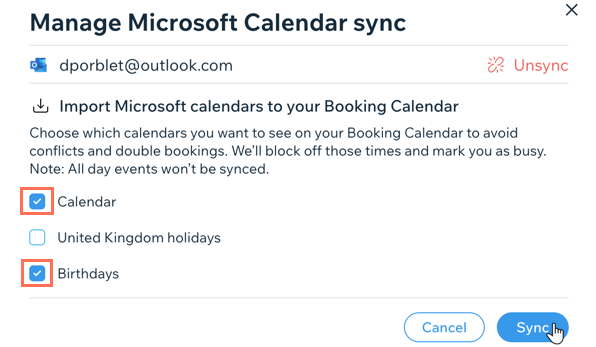
Sync your Microsoft calendar (Outlook or Office365) calendar with Wix Bookings to view your business sessions and personal appointments in one place.
You can choose which of your personal calendars you want to include in the sync. This is a great way to block off time for birthdays, weddings and even public holidays.
FAQs:
We are here to help with all your questions. Click a question below to learn more.
How do personal calendar appointments show up in Wix?
Any time booked in your personal calendar or set as "out-of-office" appears as "Busy" in your booking calendar. Customers cannot book appointments at these times.
Note that any event details you add in your personal calendar (e.g. location, guest list) do not appear in your Wix calendar.
Can I create a personal calendar event without it blocking time in Wix?
If you do not want a personal event to block off time in your booking calendar, mark the time the event takes place as Free in your personal calendar. This prevents it from blocking off time in your booking calendar.
Why don’t all my personal calendar events appear in Wix?
Your personal calendar may host more than one calendar. The booking calendar syncs only with the primary calendar (usually the top one). Make sure all events you want synced are scheduled on this calendar.

Why do all my staff appear as unavailable when only one is busy?
If multiple staff members are synced to the same calendar, using the same account, they will all appear as unavailable even if only one of them is booked.
Make sure to invite each staff member to sync their own personal calendar so they can offer their own services at the same time as others.
What happens when I block time in Wix?
Time that you manually block off in your booking calendar does not appear in your personal calendar.
Does Google Calendar's "All Day" option block time in my booking calendar?
If you use the "All Day" function in the Google calendar, this does not block off time in your Wix calendar. To block off a whole day, make sure to select a start and end time for the event.

What happens if I reschedule or remove a session or personal calendar event?
Removing a session from the booking calendar removes it from your personal calendar.
Removing a session from your personal calendar does not remove it from the booking calendar.
Rescheduling a session from your personal calendar will also reschedule it on your Bookings calendar.
Note: This feature is available only for Google calendar sync. Changes made to your sessions on the Google calendar might take a few minutes to reflect on your Wix calendar.
What happens when I change my personal calendar password?
If you change your personal calendar password, you need to unsync your bookings calendar from the personal calendar and then re-sync it in the Staff tab in your site's dashboard.
What happens when I stop syncing calendars?
When you unsync calendars, the following happens:
All personal calendar events are removed from your Wix calendar.
All Wix Booking events are removed from your personal calendar.
Note:
Buffer time is not added to 'busy' slots from personal calendar. You can manually extend the 'busy' slot in personal calendar to allow for the additional time you need as a buffer.