top of page

File Share

Wix Apps: About the File Share App

With the File Share app, you can create a file sharing library where people can exchange ideas and collaborate on projects.  It's perfect for schools, businesses, and communities to securely upload and share documents.

Here are some ways to make the most of it:

  • Share files with clients to download and share

  • Create a Members Area for your community file sharing

  • Receive files from site members

  • Keep track of important files by marking them as favorites

  • Create a space where different groups can share files they are collaborating on

  • Customize access permissions for site members to view, upload, download, and manage files.

A screenshot showing files and folders displayed on a the file share app.

Create folders and upload files

With the File Share app, you can easily organize your files by creating folders and uploading various file formats such as images, videos, audio, and documents. Wix supports a wide range of file formats across different products.

When using the File Share app, you can upload larger file sizes and there's no limit to the number of files you can upload to your site. Check out the supported file types for more information.
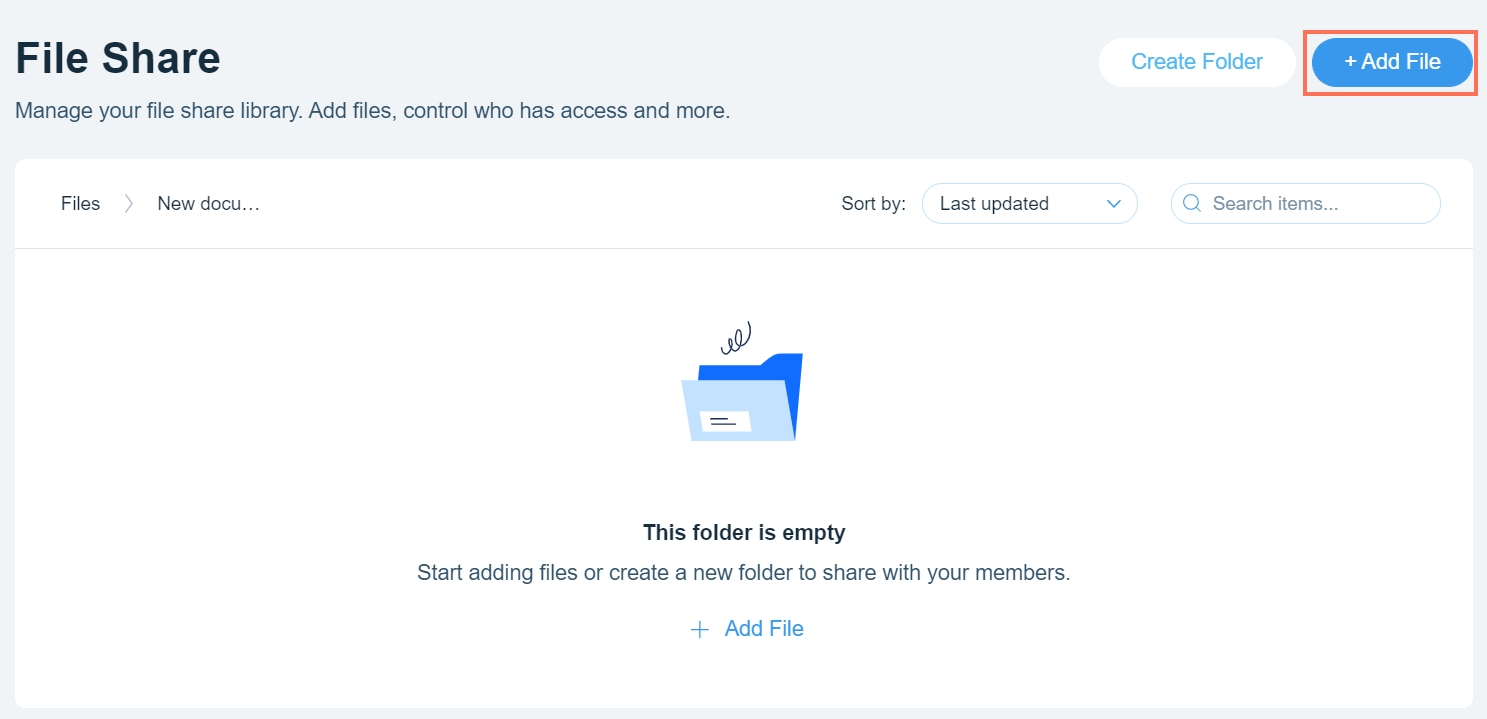
A screenshot showing how to add a file to a folder.

Make a library of files

Create a file library where you and your community can easily share files with one another. Site members can search for specific files and organize them in folders for easy access.

This is great for collaborating with clients, teams, students, and community members. Learn more about setting library permissions.
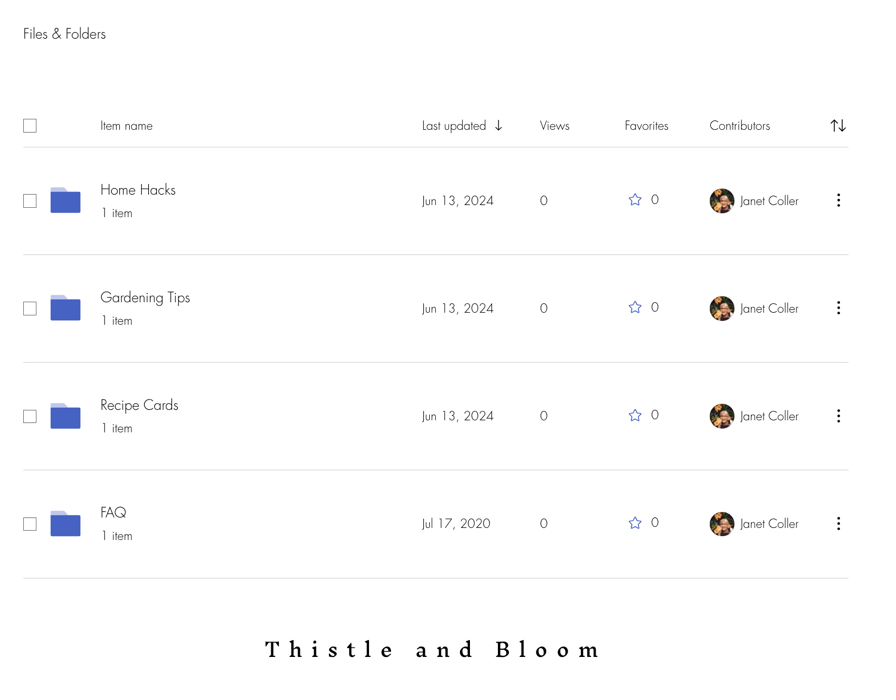
A screenshot showing several folders available as a library of folders and files.

Add some customization:

Choose what information to display about files, select how your files are sorted, and customize the colors and fonts used.

Limit access to folders for certain members

Need to restrict certain files? You can create private folders by setting the permissions to allow that folder to be accessed by selected members of your site. For example, patient files that can only be accessed by doctors. You can also hide these folders so that they are not visible to site visitors.
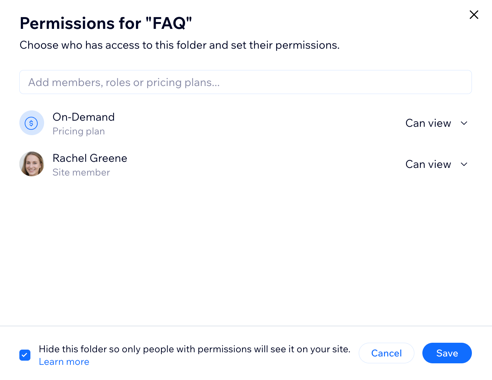
A screenshot showing the option to hide the folder from view.

Offer subscription plans and earn money from your folders

Do you have files that people are willing to pay for? You can add a Pricing plan to certain folders and provide access to the files for a fee. This means anyone that wants to download these files needs to pay for access, for example, recipe cards or digital templates.
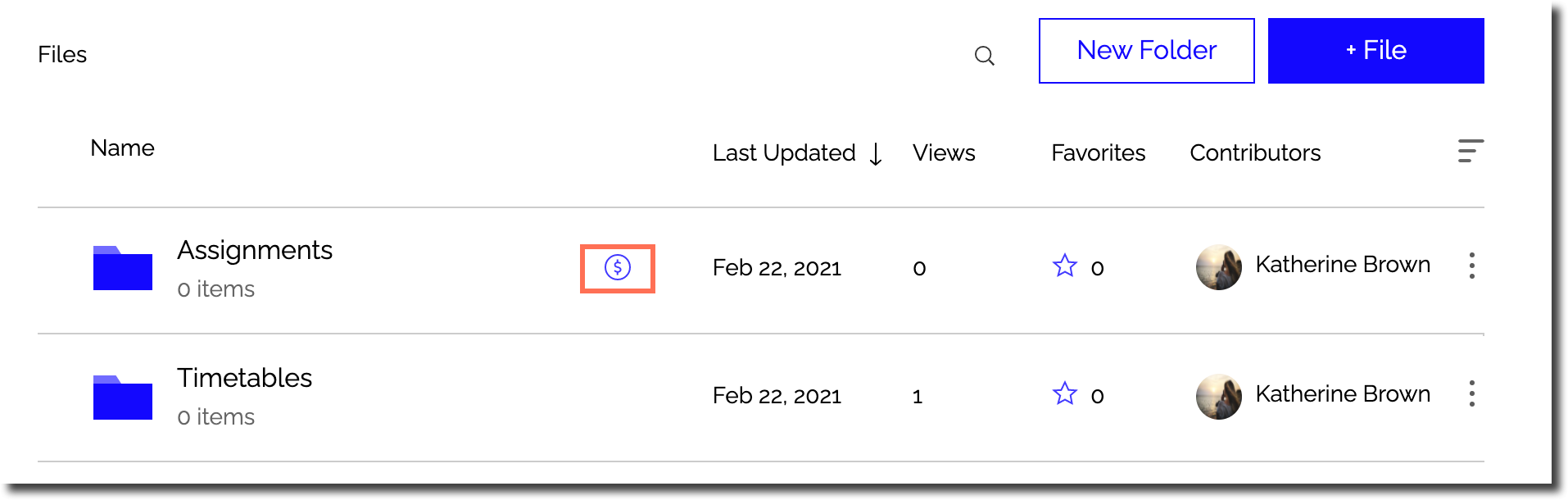
A screenshot showing folders with pricing plans attached.

Need A Professional Website?
Contact Us 
Today!

Google Workspace Error Message: "Your subscription has been suspended by your reseller"

Google Workspace Error Message: Service Is Temporarily Suspended until Your Customer Accepts the New Terms of Service

Google Workspace Error Message: "You already have a Google Workspace business email account. You can manage it from the Google Admin Console"

Google Workspace: Data Migration from an External Email to Your Google Workspace

Google Workspace: Revoking Admin Status to Delete a Workspace Account

Google Workspace: Connecting Your Business Email to a Mail Client Using IMAP and SMTP

Google Workspace: Changing the Language of Your Business Email

Google Workspace: Emails Missing from Your Business Email

Google Workspace: Allowing Access for ‘Less Secure Apps’ in Your Business Email

Google Workspace: Adding Google Workspace MX Records to Your Wix Account

Google Workspace: Setting Up a Domain Alias

Google Workspace: Manually Verifying Your Domain with Google

Google Workspace: Connecting a Business Email for a Domain Pointing to Wix

Google Workspace: Setting Up an Email Alias for an Existing Workspace User Email Address

Google Workspace: Resetting a Workspace User's Password

Google Workspace: Renaming a Workspace User

Google Workspace: Accessing Your Additional Workspace Users

Google Workspace: Purchasing Additional Business Emails from Wix

Google Workspace: Setting Up Business Email Users

Gemini for Google Workspace: An Overview

Google Workspace: Upgrading a Workspace Plan

Google Workspace: Choosing a Plan

Google Workspace: Business Email Sending Limits

Google Workspace: Forwarding Emails From Your Business Email to Another Email Address

Google Workspace: Resetting Your Admin Password

Google Workspace: Accessing Your Admin Console

Google Workspace: Identifying Your Admin Workspace User

Google Workspace: Setting Up Your Business Email on Mobile Devices

Google Workspace: Username and Password Guidelines

Google Workspace: Accessing your Business Email Through Your Wix Account

wix experts
Graphic2Traffic web design
©
bottom of page