


Media & content apps
Third-Party App: Cookiebot™ for Wix by Usercentrics
With the Cookiebot™ for Wix by Usercentrics app you can safeguard your website’s GDPR and ePrivacy Directive (ePD) compliance by collecting user consent in just a few steps.
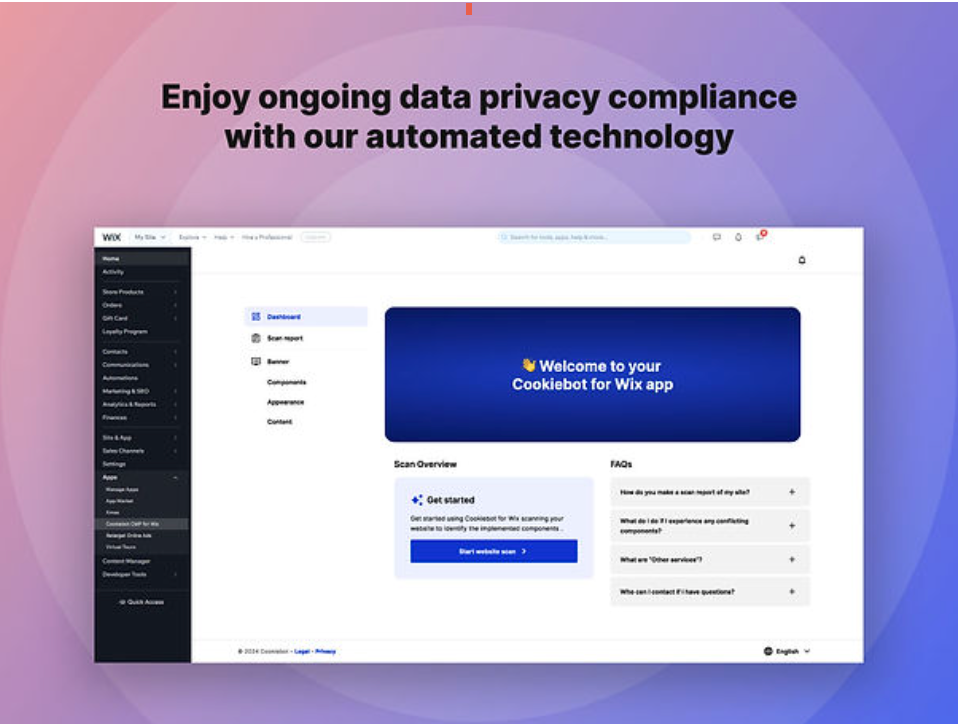
The Cookiebot™ app lets you take control of your website’s privacy compliance within your Wix site. In just a few simple clicks you can configure your consent banner to match your website’s look and feel.
It offers an integration with Google Consent Mode v2 and powerful scanning technology that detects all trackers and components in use on your site.
Before you begin:
The Cookiebot™ for Wix app interface is currently available in English, French, German, Italian, Portuguese, Spanish.
This app requires a monthly subscription. You need to add your payment information before you can start with the configuration of the app.
Step 1 | Add the Cookiebot™ for Wix app
You can add the Cookiebot app directly from the Wix App Market. Once installed the app automatically provides a scan report on your site.
To add the Cookiebot app to your site:
Click Add to Site below Cookiebot™ for Wix.
Review the Terms of Use and click Agree & Add.
Click Upgrade app to Premium.
Choose a package.
Click Select.
Choose a plan.
Click Continue to Checkout.
Complete the purchase.
Click View your apps.
Click Open next to the Cookiebot app.
Review the scan report on the screen.
Step 2 | Customize the banner to display on your site
Once you have added the app and reviewed the scan report, customize the banner that is displayed on your site. You can select a theme, change the text, and generate multiple languages.
To customize the banner:
Go to the Manage Apps tab in your site's dashboard.
Click Appearance.
Select a theme for your banner.
Click Save.
Click Content.
Click the Text labels tab.
Enter the required content for your banner.
Click Save.
Click Language settings.
Click Add Language.
Select the relevant languages.
Click Save.
FAQs
Click a question below to find out more information.
Is this app available for all Wix users?
Yes, any Wix user can download this app. However, the app is only available in the following languages: English, French, German, Italian, Portuguese, Spanish.
The content displayed in the consent banner is however available in 60 languages and automatically translated so that you offer your website visitors the best user experience in their preferred language.
Who can I talk to if I need assistance with the app?
The Cookiebot™ for Wix by Usercentrics app is a third-party app and is managed by Usercentrics GmbH. If you need assistance we recommend reaching out to Usercentrics GmbH directly for help.
Website: https://usercentrics.com/
Support: https://wix-support.cookiebot.com/hc/en-us
Email: wix-support@cookiebot.com
Why can’t I change the category of components in my banner?
The category shown in the banner is based on information provided by Wix and must match the blocking of the component. In order to change the category of any apps that are listed as “Wix components", please reach out to Wix.
To change the category of a third-party app, you will need to reach out to the developer of the component or app directly and ask them directly to change the category and make sure that no data is being collected without user consent.