top of page

Setting up Pricing Plans

Pricing Plans: Upgrading Your Site to Sell Plans Online

You can add and set up the Wix Pricing Plans app on your site for free. To sell your membership plans and packages online and remove Wix branding, you need to upgrade your site. You do not need to upgrade to add plans (sell them offline) or to sell free plans.

Important:

After submitting your purchase, your bank may require you to verify your identity. If you're experiencing any issues with the authentication process, contact your bank directly.

Want to sell your plans online?

Upgrade now

Grow your revenue by accepting online payments

Accept payments directly on your website, and offer your customers a seamless and secure experience.
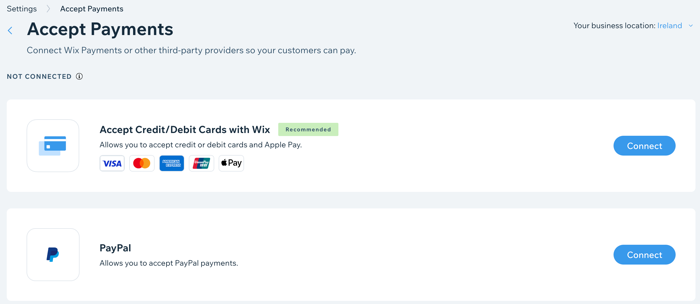
A screenshot showing how to add online payment providers to your site.

Improve your branding with a custom domain

Connect your own custom domain (e.g. www.mystunningwebsite.com), which improves your branding and gives your website a more professional look. When you upgrade to a Business and eCommerce plan, you also get your domain for free for the first year.
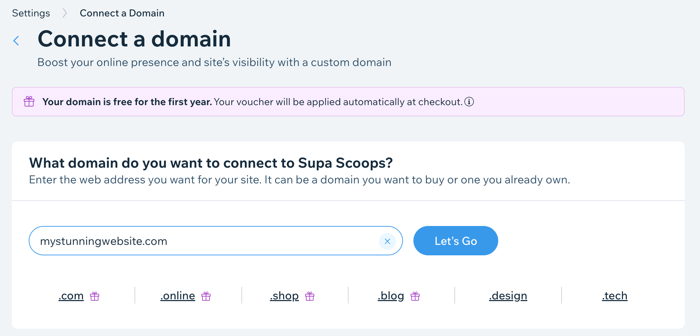
A screenshot showing how to register a domain when you upgrade your site.

Track your sales with advanced analytics

Track your subscriptions sold over time and compare different time periods. This is great for tracking the success of your marketing and the popularity of your subscriptions.
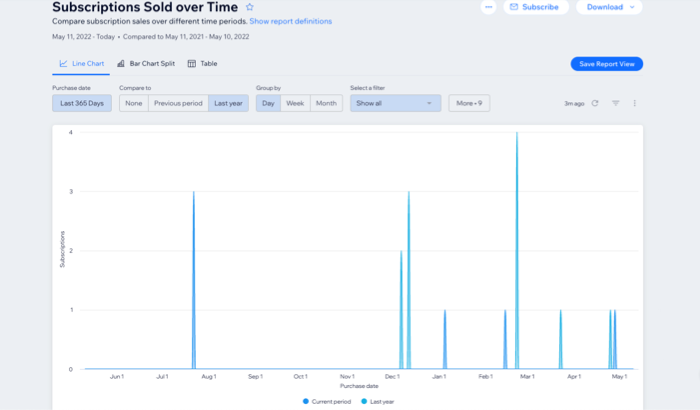
A screenshot showing Pricing Plans subscriptions analytics over time.

Need A Professional Website?
Contact Us 
Today!

Google Workspace Error Message: "Your subscription has been suspended by your reseller"

Google Workspace Error Message: Service Is Temporarily Suspended until Your Customer Accepts the New Terms of Service

Google Workspace Error Message: "You already have a Google Workspace business email account. You can manage it from the Google Admin Console"

Google Workspace: Data Migration from an External Email to Your Google Workspace

Google Workspace: Revoking Admin Status to Delete a Workspace Account

Google Workspace: Connecting Your Business Email to a Mail Client Using IMAP and SMTP

Google Workspace: Changing the Language of Your Business Email

Google Workspace: Emails Missing from Your Business Email

Google Workspace: Allowing Access for ‘Less Secure Apps’ in Your Business Email

Google Workspace: Adding Google Workspace MX Records to Your Wix Account

Google Workspace: Setting Up a Domain Alias

Google Workspace: Manually Verifying Your Domain with Google

Google Workspace: Connecting a Business Email for a Domain Pointing to Wix

Google Workspace: Setting Up an Email Alias for an Existing Workspace User Email Address

Google Workspace: Resetting a Workspace User's Password

Google Workspace: Renaming a Workspace User

Google Workspace: Accessing Your Additional Workspace Users

Google Workspace: Purchasing Additional Business Emails from Wix

Google Workspace: Setting Up Business Email Users

Gemini for Google Workspace: An Overview

Google Workspace: Upgrading a Workspace Plan

Google Workspace: Choosing a Plan

Google Workspace: Business Email Sending Limits

Google Workspace: Forwarding Emails From Your Business Email to Another Email Address

Google Workspace: Resetting Your Admin Password

Google Workspace: Accessing Your Admin Console

Google Workspace: Identifying Your Admin Workspace User

Google Workspace: Setting Up Your Business Email on Mobile Devices

Google Workspace: Username and Password Guidelines

Google Workspace: Accessing your Business Email Through Your Wix Account

wix experts
Graphic2Traffic web design
©
bottom of page