top of page

Setting up Online Programs

Online Programs: About Automations for Your Program

Boost your site's success with minimal effort by creating automations to manage your program. Automations streamline repetitive tasks and help you hit your marketing targets. Think of them as a combination of triggers and actions—like sending a welcome email when someone joins your program. You can use built-in triggers and actions, or customize your own.

Ready to create automations for your program?

Go to Automations in your site's dashboard.
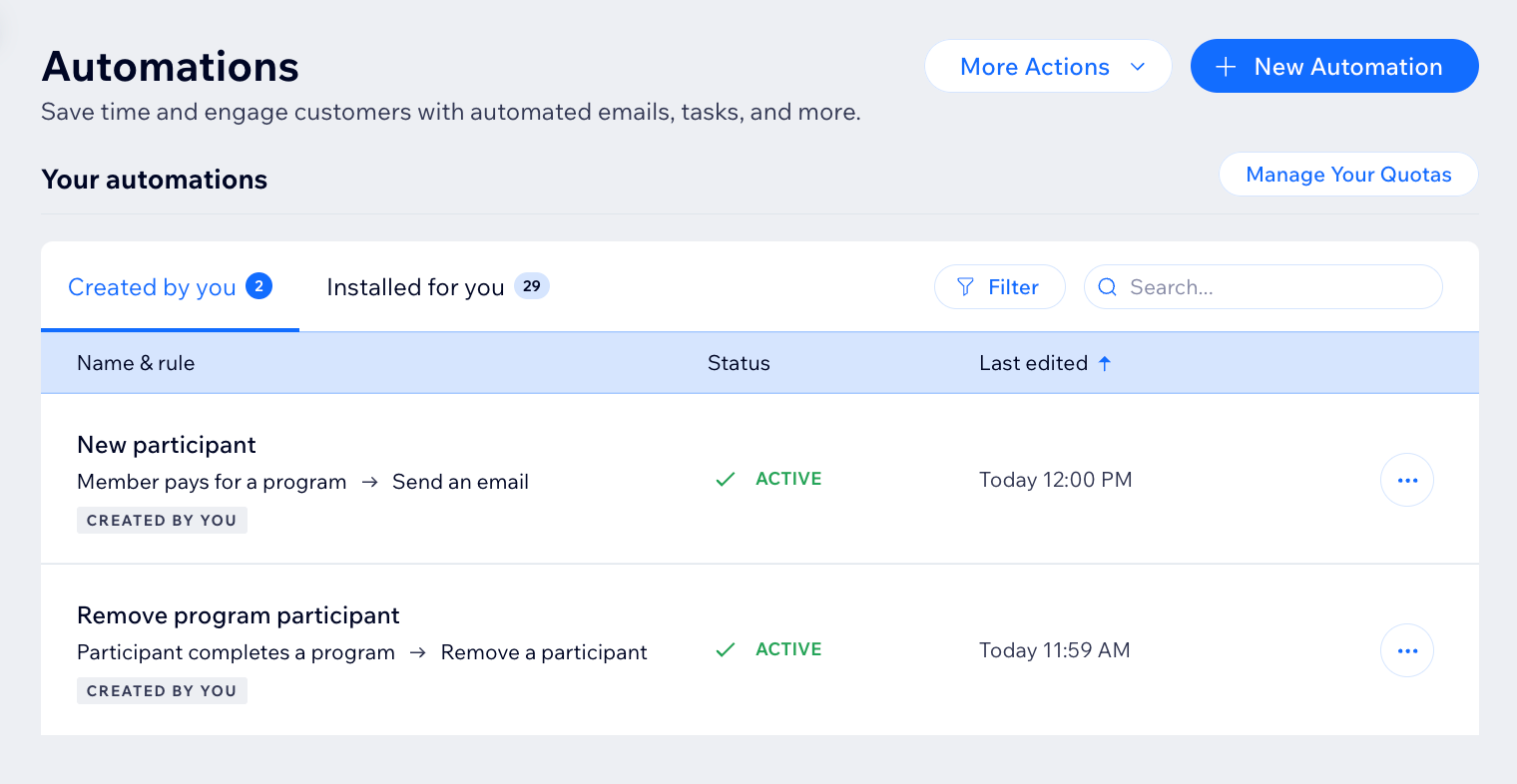
A screenshot of the Online Programs app in the automation flow

Choose a trigger

Select the Online Programs app in the automation flow to see its triggers. A trigger is an event that a member or participant does involving your program. This event initiates an automatic response. You can choose from a list of available triggers and select specific programs.

For example, you can remove a participant when they complete a self-paced program. To do so, use the trigger "Participant completes the program". Add a delay of 3 days, and the action "Remove participant", for a specific program.

The built-in triggers for Online Programs are:

  • Member pays for a program

  • Member joins a program

  • Participant completes a step

  • Participant leaves a program

  • Participant completes a program

  • Program end date has passed

A screenshot of the Online Programs app in the automation flow

Choose an action

Select actions that respond to your trigger. You can choose general actions like sending an email or updating Google Sheets. You can also use the specific Online Programs action: Remove a participant. For example: Combine "Program end date has passed" with the action "Remove participant". This will remove participants from a program when it ends.

A screenshot of the Online Programs app in the automation flow

Participants that are removed by an automation are labeled as Auto-Removed.
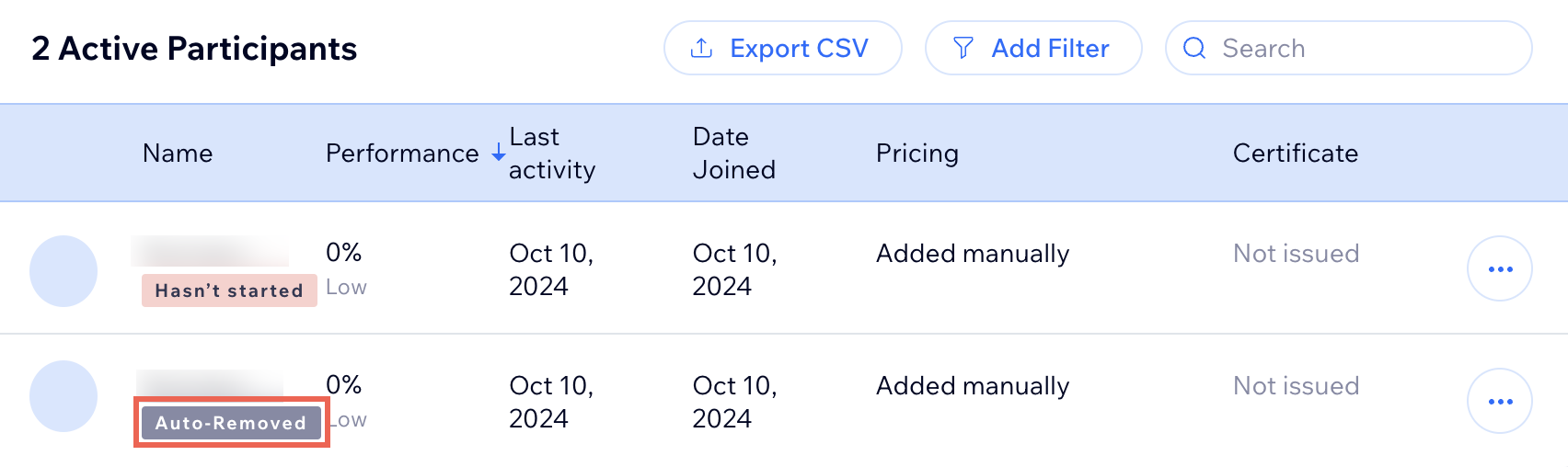
A screenshot of the Online Programs app participants list

Need A Professional Website?
Contact Us 
Today!

Connecting Authorize.net Powered by Bankful as a Payment Provider

Connecting Klarna as a Payment Provider

Connecting SeerBit as a Payment Provider

Connecting Webpay Plus-Transbank as a Payment Provider

Connecting Atome as a Payment Provider

Connecting Affirm as a Payment Provider

Connecting Pay TR as a Payment Provider

Connecting Sezzle as a Payment Provider

Connecting CXPay as a Payment Provider

Connecting Afterpay as a Payment Provider

Connecting Rapyd Payments as a Payment Provider

Connecting Clearpay as a Payment Provider

Connecting Yoco as a Payment Provider

Connecting Titre Restaurants Conecs as a Payment Method (Through Lyra)

Connecting Multibanco as a Payment Method (Through Lyra Collect)

Connecting Fondy as a Payment Provider

Connecting Xendit as a Payment Provider

Connecting Razorpay as a Payment Provider

Connecting Laybuy as a Payment Provider

Connecting Lyra Collect as a Payment Provider

Connecting UAPay as a Payment Provider

Connecting Paysafecash as a Payment Method (through Skrill)

Connecting Rapid Transfer as a Payment Method (through Skrill)

Connecting Przelewy24 as a Payment Method (through Skrill)

Connecting Skrill Digital Wallet as a Payment Method

Connecting Skrill as a Payment Provider for Credit/Debit Card Transactions

Connecting Mobile Payment as a Payment Method (Through KOMOJU)

Connecting Pay-Easy as a Payment Method (Through KOMOJU)

Connecting WeChat Pay as a Payment Method (Through Oceanpayment)

Connecting AliPay as a Payment Method (Through Oceanpayment)

wix experts
Graphic2Traffic web design
©
bottom of page