top of page

Adding and managing apps

Managing Your Wix Apps from the 'My Business' Panel

Whether you're building a site with the Wix Editor or with Studio Editor, the My Business panel is the go-to place to manage all your Wix apps such as Wix Stores, Wix Bookings, Wix Blog, and Wix Chat.

Get quick access to installed apps and use the links to access your app's dashboards. You can also add additional app elements to enhance your business.

To get started, click My Business on the left side of your site builder (Wix Editor or Studio Editor).
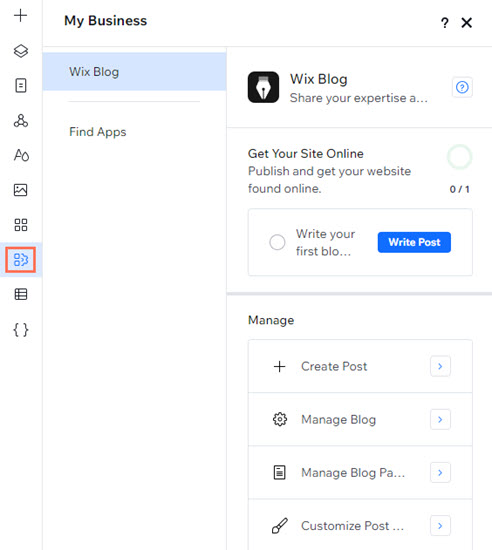
A screenshot of the Studio Editor. The My Business icon is highlighted and has been clicked, opening the panel.

In this article, learn more about:

Setting up apps

Use the set-up options in the panel to get the most out of your existing apps. If you've added Wix Bookings for example, you can add services, connect payment methods, and more.

Simply select an app from the list to get started.
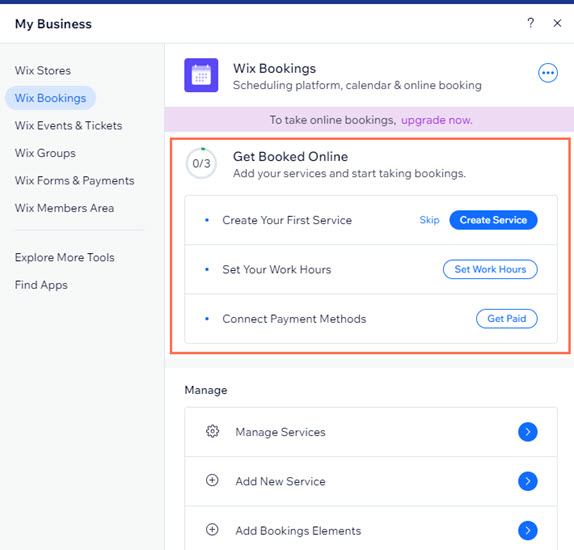
Wix Bookings has been selected and opened in the panel. The set-up options are highlighted.

Note:

This option is not available for all Wix apps.

Using quick access links

Select an app from the panel to discover all of its different quick access links.

For example, for the Wix Stores app, you can use links to manage your products, go to Wix Stores in the dashboard, add store elements to pages, manage your pages, and more.
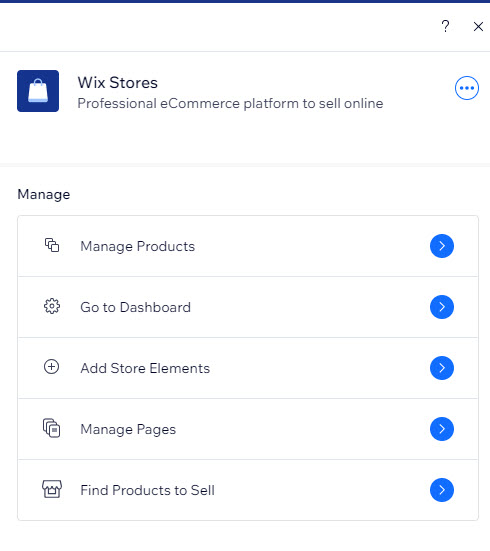
A cropped screenshot displaying the Wix Stores quick access links in the My Business panel.

Adding more Wix apps

You can add more Wix apps to your site directly from the My Business panel. The panel identifies the apps that you have currently installed, and offers additional apps that can help enhance your business.

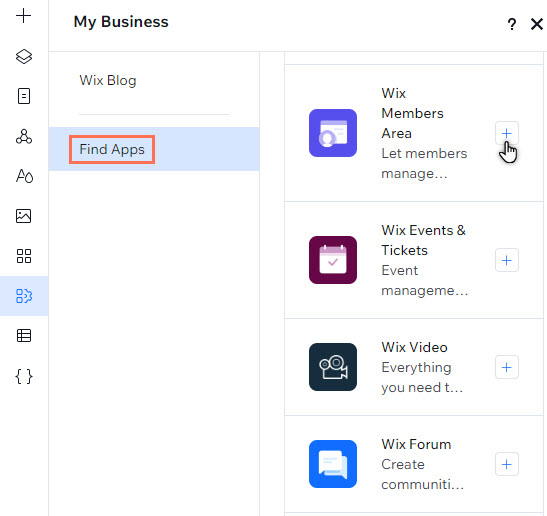
Click the Add App icon next to the app that you want to add to the site under Find Apps.

The Find Apps tab has been selected in the Studio Editor. The Wix Members Area app is being clicked.

Using Wix apps that require site plans

Some Wix apps require plans for you to get the most out of their features. Depending on the site builder you're using, you can purchase a Premium plan (Wix Editor sites) or a Studio plan (Studio Editor sites).

For apps that require a site plan, a message with a link to the upgrade page is displayed.

Deleting your Wix apps

You can also delete any Wix apps that are no longer needed from the panel in your site builder.

Studio Editor

Wix Editor

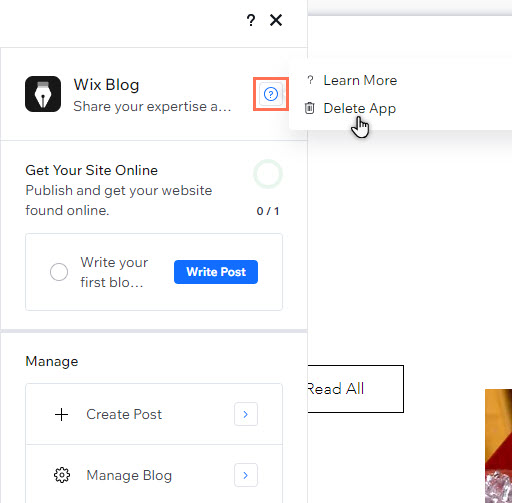
  1. Select the app in the panel.

  2. Click the Help icon .

  3. Click Delete App.

The help icon has been clicked for blogs in the panel in the Studio Editor. Delete App is being clicked.

Need A Professional Website?
Contact Us 
Today!

Google Workspace Error Message: "Your subscription has been suspended by your reseller"

Google Workspace Error Message: Service Is Temporarily Suspended until Your Customer Accepts the New Terms of Service

Google Workspace Error Message: "You already have a Google Workspace business email account. You can manage it from the Google Admin Console"

Google Workspace: Data Migration from an External Email to Your Google Workspace

Google Workspace: Revoking Admin Status to Delete a Workspace Account

Google Workspace: Connecting Your Business Email to a Mail Client Using IMAP and SMTP

Google Workspace: Changing the Language of Your Business Email

Google Workspace: Emails Missing from Your Business Email

Google Workspace: Allowing Access for ‘Less Secure Apps’ in Your Business Email

Google Workspace: Adding Google Workspace MX Records to Your Wix Account

Google Workspace: Setting Up a Domain Alias

Google Workspace: Manually Verifying Your Domain with Google

Google Workspace: Connecting a Business Email for a Domain Pointing to Wix

Google Workspace: Setting Up an Email Alias for an Existing Workspace User Email Address

Google Workspace: Resetting a Workspace User's Password

Google Workspace: Renaming a Workspace User

Google Workspace: Accessing Your Additional Workspace Users

Google Workspace: Purchasing Additional Business Emails from Wix

Google Workspace: Setting Up Business Email Users

Gemini for Google Workspace: An Overview

Google Workspace: Upgrading a Workspace Plan

Google Workspace: Choosing a Plan

Google Workspace: Business Email Sending Limits

Google Workspace: Forwarding Emails From Your Business Email to Another Email Address

Google Workspace: Resetting Your Admin Password

Google Workspace: Accessing Your Admin Console

Google Workspace: Identifying Your Admin Workspace User

Google Workspace: Setting Up Your Business Email on Mobile Devices

Google Workspace: Username and Password Guidelines

Google Workspace: Accessing your Business Email Through Your Wix Account

wix experts
Graphic2Traffic web design
©
bottom of page