top of page

Dayful by Wix

Dayful by Wix: Customizing Your Booking Page

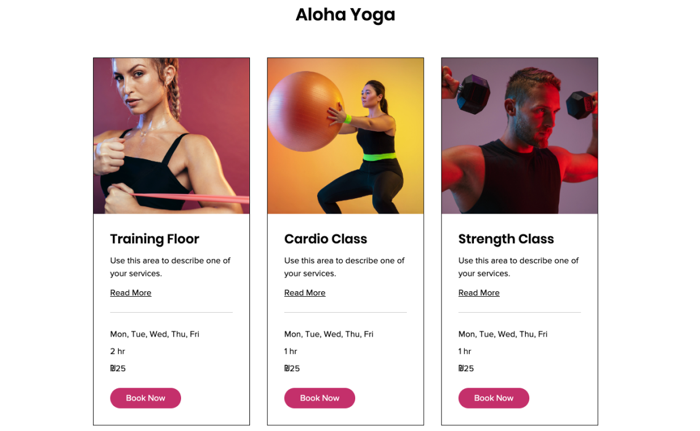
After setting up your services on Dayful by Wix, customize the page your clients use to book them. This is what they see when you share a link to the service or embed the widget on your website, so make sure it fits your brand.

Important:

To customize the design of your Booking Page, upgrade your Dayful plan.
Need help with Dayful?

Send a message to our Experts and they will get back to you as soon as possible.

To customize your Booking page:

  1. Go to the Channels tab in your Dayful dashboard.

  2. Click Booking Page.

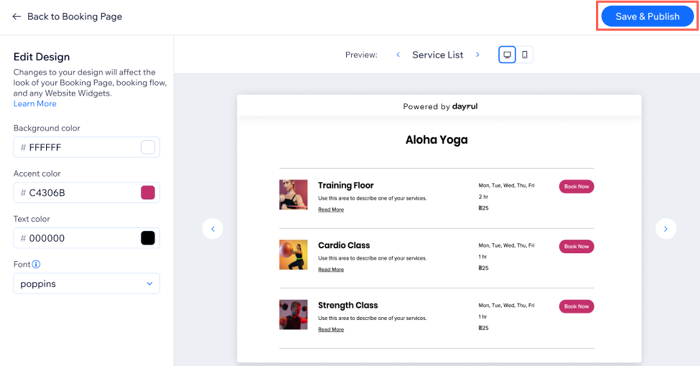
  3. Click Edit Design.

  4. Choose what version of your Booking Page to edit, using the arrows next to Preview:Service List: What your clients see when you display your service page. This can include any of your services.
    Calendar: Show clients the full weekly timetable for specific appointments or classes.
    Memberships and packages: Show clients your pricing plans or membership packages.

  5. Set the colors of your Booking Page on the left:Background color: Choose an appropriate background for your services.
    Accent color: Choose the color for your Booking Page buttons.
    Text color: Choose the color for your font, make sure it stands out from the background color and easy to read.
    Font: Choose the font for the text on your Booking Page.

  6. Click Save & Publish.

Note:

The design settings you choose for the Booking Page apply to all links you share and all website widgets you embed.
Tip:

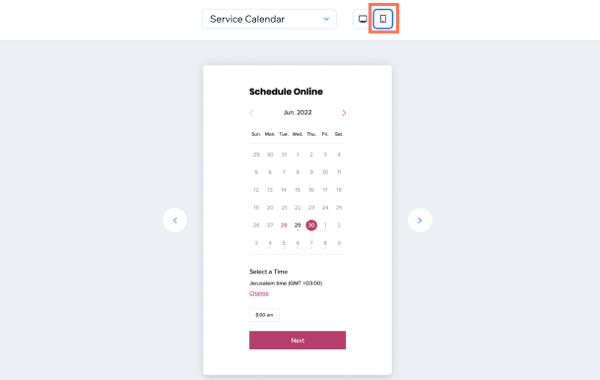
Click the Mobile Preview button to make sure your Booking Page design is optimized for mobile as well. 
Need A Professional Website?
Contact Us 
Today!

Connecting Authorize.net Powered by Bankful as a Payment Provider

Connecting Klarna as a Payment Provider

Connecting SeerBit as a Payment Provider

Connecting Webpay Plus-Transbank as a Payment Provider

Connecting Atome as a Payment Provider

Connecting Affirm as a Payment Provider

Connecting Pay TR as a Payment Provider

Connecting Sezzle as a Payment Provider

Connecting CXPay as a Payment Provider

Connecting Afterpay as a Payment Provider

Connecting Rapyd Payments as a Payment Provider

Connecting Clearpay as a Payment Provider

Connecting Yoco as a Payment Provider

Connecting Titre Restaurants Conecs as a Payment Method (Through Lyra)

Connecting Multibanco as a Payment Method (Through Lyra Collect)

Connecting Fondy as a Payment Provider

Connecting Xendit as a Payment Provider

Connecting Razorpay as a Payment Provider

Connecting Laybuy as a Payment Provider

Connecting Lyra Collect as a Payment Provider

Connecting UAPay as a Payment Provider

Connecting Paysafecash as a Payment Method (through Skrill)

Connecting Rapid Transfer as a Payment Method (through Skrill)

Connecting Przelewy24 as a Payment Method (through Skrill)

Connecting Skrill Digital Wallet as a Payment Method

Connecting Skrill as a Payment Provider for Credit/Debit Card Transactions

Connecting Mobile Payment as a Payment Method (Through KOMOJU)

Connecting Pay-Easy as a Payment Method (Through KOMOJU)

Connecting WeChat Pay as a Payment Method (Through Oceanpayment)

Connecting AliPay as a Payment Method (Through Oceanpayment)

wix experts
Graphic2Traffic web design
©
bottom of page