top of page

Working with Wix Payments

Connecting Pay Now by Klarna as a Payment Method (Through Wix Payments)

Accept EUR payments from your customers via direct bank transfers using Pay Now by Klarna, processed by Wix Payments.

General Info

Supported countries

Austria, Belgium, Germany, Switzerland.

Supported currencies

EUR, CHF

Transaction fees

Austria, Belgium, Germany: 2.5% + 0.30 EUR
Switzerland: 2.5% + 0.4 CHF

To connect Pay Now by Klarna through Wix Payments:

  1. Go to the Accept Payments tab on your dashboard.
    Tip: Check your business location at the top right. If incorrect, click the drop-down menu to change it.

  2. Click Connect next to Wix Payments.
    Note: If Klarna through Wix Payments is available in your area, you will be automatically connected.

Important:

  • If you've already connected your Wix site to Klarna through a different provider, you can change it to Wix Payments. Learn How

  • Currently, it is not possible to link an existing Klarna account to Wix Payments. Learn More

What's Next?

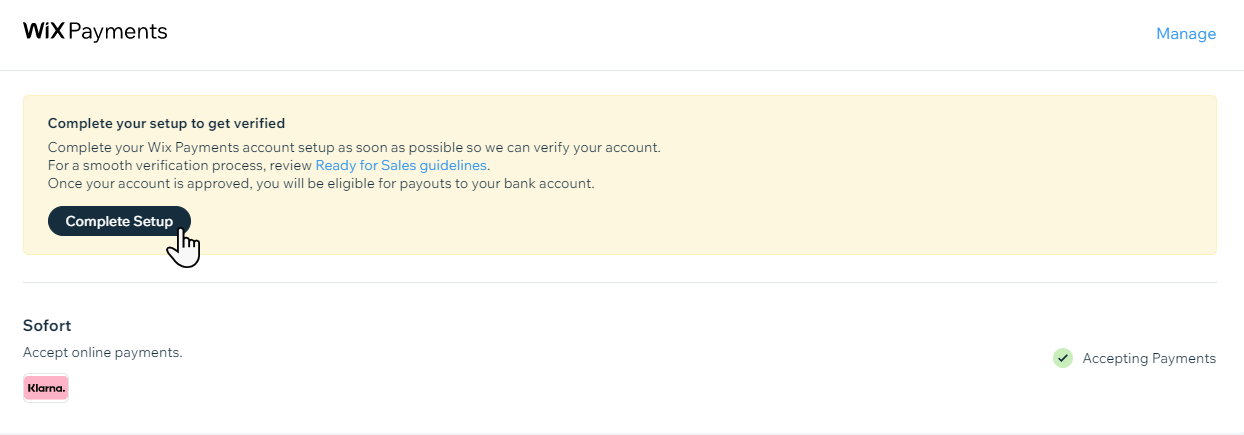
Complete setup with Wix Payments in order to get payouts to your bank account.
Need A Professional Website?
Contact Us 
Today!

Wix Photo Albums: Printing and Shipping Issues in the Wix Photo Albums Store

Wix Photo Albums: Printing and Shipping Issues in the Wix Photo Albums Store

Wix Photo Albums: Setting Up Your Photo Albums Store

Wix Photo Albums Store: No Longer Available

Wix Photo Albums: Managing Your Photo Album

Wix Photo Albums: Managing Photo Albums in the Wix App

Wix Photo Albums: Duplicating Your Photo Album

Wix Photo Albums: Changing Your Album's Privacy Permissions

Wix Photo Albums: Enabling Downloading of an Entire Photo Album

Wix Photo Albums: Changing the Album URL

Wix Photo Albums: Troubleshooting Album URL Issues

Wix Photo Albums: Displaying Specific Albums on Different Pages

Wix Photo Albums: Showing or Hiding an Album on Your Site

Wix Photo Albums: Sharing Your Album

Wix Photo Albums: Displaying a Single Photo Album

Wix Photo Albums: Supported Media Sizes and Formats

Wix Photo Albums: Deleting Photo Albums

Wix Photo Albums: Adding New Galleries to an Album

Wix Photo Albums: Changing the Layout of Your Galleries

Wix Photo Albums: Creating a Favorites List for Clients (Proofing)

Wix Photo Albums: Managing Your Favorites Lists

Wix Photo Albums: Communicating With Clients Using Your Favorites List

Wix Photo Albums: Updating Your Old Albums to the New Templates

Wix Photo Albums: Uploading Photos from Lightroom Classic

Wix Photo Albums: Viewing Your Photo Album Statistics

Wix Photo Albums: Upgrading Your Photo Albums Storage

Wix Photo Albums: Removing Wix Ads from Your Photo Album

Wix Photo Albums: Organizing Your Album

Wix Photo Albums: Adding Titles and Descriptions to Photos

Wix Photo Albums: Editing Your Album's Cover Information

wix experts
Graphic2Traffic web design
©
bottom of page