top of page

Setting up Pricing Plans

Pricing Plans: Upgrading Your Site to Sell Plans Online

You can add and set up the Wix Pricing Plans app on your site for free. To sell your membership plans and packages online and remove Wix branding, you need to upgrade your site. You do not need to upgrade to add plans (sell them offline) or to sell free plans.

Important:

After submitting your purchase, your bank may require you to verify your identity. If you're experiencing any issues with the authentication process, contact your bank directly.

Want to sell your plans online?

Upgrade now

Grow your revenue by accepting online payments

Accept payments directly on your website, and offer your customers a seamless and secure experience.
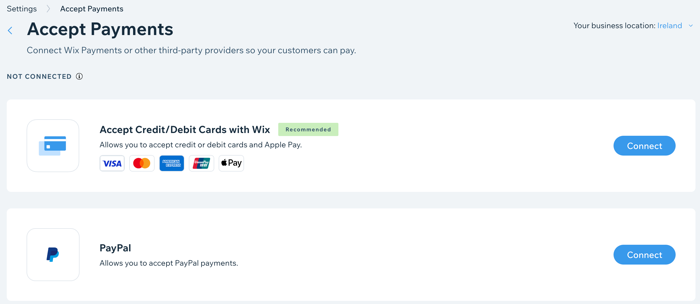
A screenshot showing how to add online payment providers to your site.

Improve your branding with a custom domain

Connect your own custom domain (e.g. www.mystunningwebsite.com), which improves your branding and gives your website a more professional look. When you upgrade to a Business and eCommerce plan, you also get your domain for free for the first year.
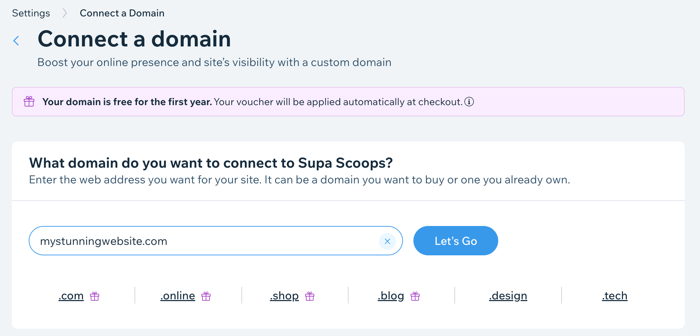
A screenshot showing how to register a domain when you upgrade your site.

Track your sales with advanced analytics

Track your subscriptions sold over time and compare different time periods. This is great for tracking the success of your marketing and the popularity of your subscriptions.
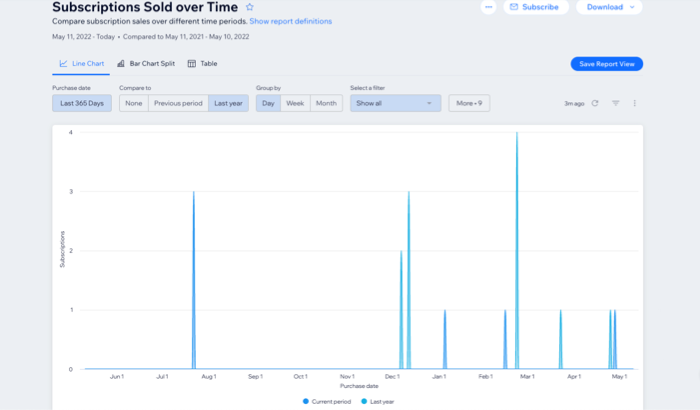
A screenshot showing Pricing Plans subscriptions analytics over time.

Need A Professional Website?
Contact Us 
Today!

Wix Video: Uploading Videos to Social Media

Wix Video: Adding a YouTube Feed

Wix Video: Requiring Visitors to Sign Up to Watch a Free Video

Wix Video: Adding Tags to Your Videos

Wix Video: Changing the Cover Image of a Video

Wix Video: Adding Information to Your Videos

Wix Video: Organizing Your Videos into Categories

Wix Video: Managing Your Channels

Wix Video: Creating a Channel

Wix Video: Supported Files

Wix Video: Adding Videos to Your Video Library

Wix Video: About Your Wix Video Player on Mobile

Wix Video: Troubleshooting Video Playback Issues

Wix Video: Deleting Your Wix Video Player

Wix Video: Understanding Wix Analytics Reports

Wix Video: Setting Up Email Marketing

Wix Video: About Wix Video

Wix Portfolio: Translating Your Portfolio with Wix Multilingual

Wix Portfolio: How to Write Good Alt Text

Wix Portfolio: SEO for Your Portfolio

Wix Portfolio: Managing Your Projects in the Wix App

Wix Portfolio: Adding a Project Page to a Site Menu

Wix Portfolio: Managing Your Integrations

Wix Portfolio: Connecting Integrations

Wix Portfolio: Managing Your Wix Portfolio

Wix Portfolio: Customizing Your Wix Portfolio Pages

Wix Portfolio: Adding Media to Projects

Wix Portfolio: Adding and Setting Up Wix Portfolio

Wix Portfolio: An Overview

Online Programs: Reordering Your Programs From the Wix App

wix experts
Graphic2Traffic web design
©
bottom of page