


Pricing Plans: Making Site Pages Members-Only
Want to offer your subscribers access to exclusive content? Just connect your pricing plans to your members-only pages to set up a paywall.
Before you begin:
Create the plans you want to offer on your site.
Learn more about creating and managing your site member roles.
To make a site page members-only:
Wix Editor
Click Pages & Menu

on the left side of the editor.
Hover over the relevant page and click the More Actions icon

.
Tip: Make sure you don't restrict the main (original) Pricing Plans page. You can, however, restrict other pages where you display plans. You can also hide the main page.
Click Settings.
Click Permissions.
Click Site members.
Select Specific members.
Click the Members with plan subscriptions toggle to enable it.
Click Manage Plans.
Select the checkbox next to the relevant pricing plans.
Click Apply.
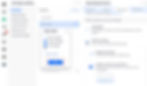
Studio Editor
Click Pages

on the left side of the editor.
Hover over the relevant page and click the More Actions icon
.
Tip: Make sure you don't restrict the main (original) Pricing Plans page. You can, however, restrict other pages where you display plans. You can also hide the main page.
Click Settings.
Click Permissions.
Click Members only.
Select Specific members.
Click the Members with plan subscriptions toggle to enable it.
Click Manage Plans.
Select the checkbox next to the relevant pricing plans.
Click Apply.

Wix Harmony Editor
Click the Page dropdown at the top left of the page.
Click the More Actions icon

next to the relevant page.
Click Settings.
On the Settings panel on the right, click Access.
Click Manage Access.
Click Members.
Select Members with roles, plans or badges.
Enable the Members with plans toggle.
Select the relevant plan from the Select plans dropdown.
Click Save.

Need A Professional Website?
Contact Us Today!
I'm a paragraph. I'm connected
I'm a paragraph. I'm connected
I'm a paragraph. I'm connected
I'm a paragraph. I'm connected
I'm a paragraph. I'm connected
I'm a paragraph. I'm connected