


Refunding Your Customers with Third Party Payment Providers
Updated: 15 hours ago
Issuing refunds to your customers can be done at Wix using a select number of supported payment providers, including Wix Payments.
Some payment providers don't support refunds through Wix. If that's the case, you'll need to you'll need to issue the refund directly through their platform.
Refunding a payment at Wix
Issuing refunds to your customers can be done if that payment has been made through a supported payment provider. If the option to refund does not appear next to the relevant payment, you'll have to issue the refund directly through your payment provider.
To issue a refund:
Go to Payments in your sites dashboard.
Click on the payment to refund.
Click Refund.
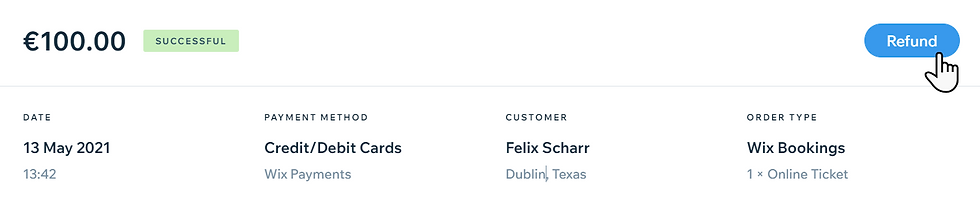
Enter the amount to refund and a note (if needed).
Click Refund.
Refunding a payment outside of Wix
For some payment providers, refunds cannot be processed through the Wix dashboard. Instead, you must complete the refund through your provider's dashboard. Contact your payment provider to learn more about issuing refunds through them.
Note:
Refunds may be subject to processing fees charged by the payment provider
You'll need to check with your provider for information on topics such as refund deadlines and refund proof
FAQs
To learn more about issuing refunds, click the questions below.
What steps can I take for canceling an order in Wix Stores?
You'll need to go to the Orders tab and start the process from there. Learn about canceling a Wix Stores order.
What steps can I take for canceling an event created with Wix Events?
You'll need to go to the Events tab and start the process from there. Learn about canceling and refunding orders for events.
What steps can I take for canceling a booking created with Wix Bookings?
You'll need to go to the Booking Calendar and start the process from there. Learn about canceling a booking.
This article is credited to the Wix team - https://support.wix.com/ and we thank them for that!

Comments