top of page


Wix Blog: Scheduling Blog Posts
Maximize your readership by publishing blog posts at the best times. With scheduling, you can write blog posts when it's most convenient and set them to go live when you choose.
To schedule a blog post to be published later:
Go to the Blog tab in your site's dashboard.
Click Create New Post.
Add in the relevant content.
Click the Expand

icon at the top right.
Click Schedule Post.

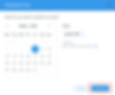
Choose when you want the post to go live.
Click Schedule.
Note:
Scheduled posts appear in the Scheduled tab until they are published. You can cancel a scheduled post or to set it to be published at another time in the Scheduled tab.

Need An AI Run Website?
Contact Us Today!
bottom of page